
Custom reports to suit your fleet needs
Fleet management reports
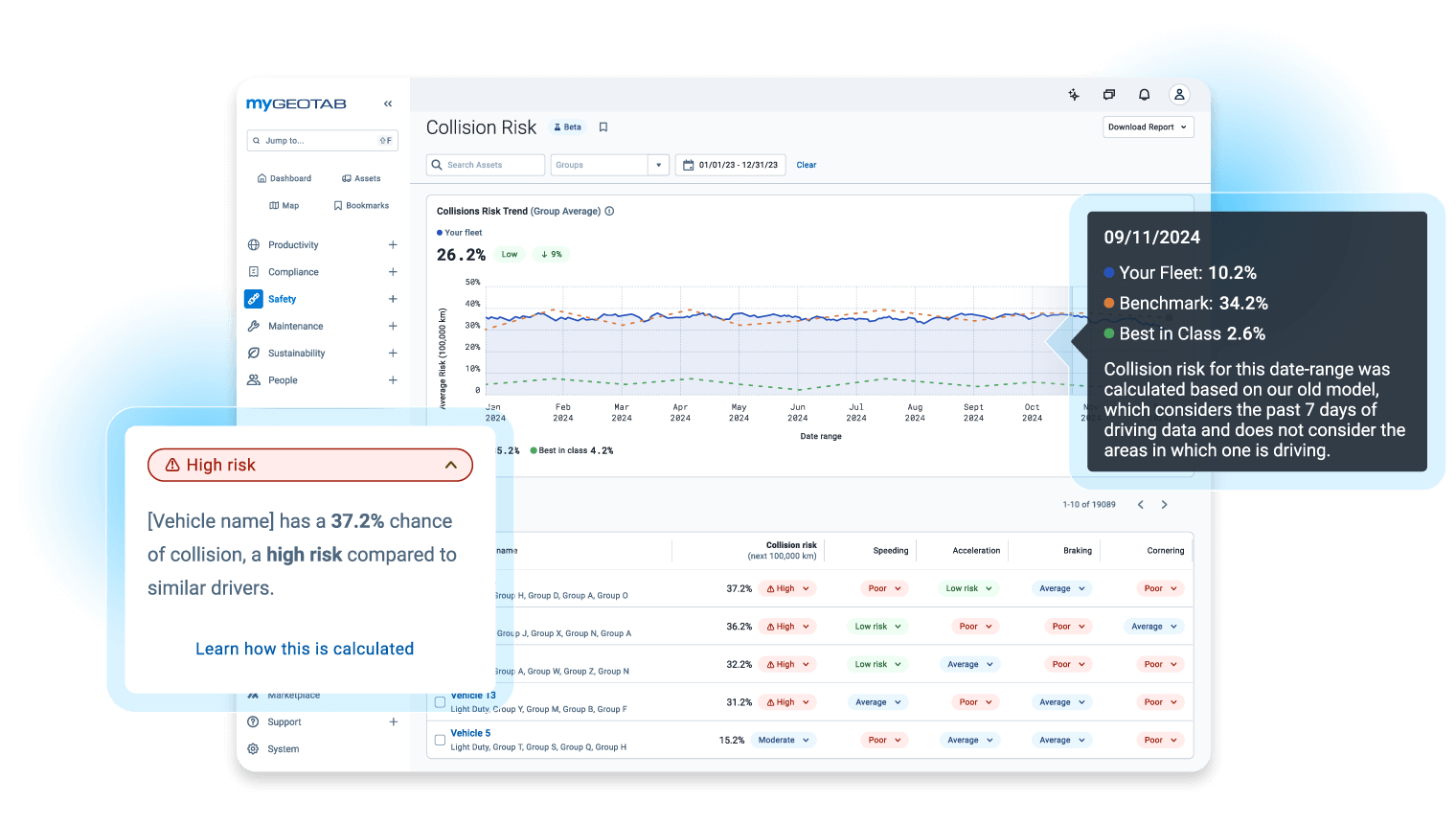
Flexible reporting: Gain key insights into operations, costs, and maintenance using highly customisable fleet reports that you can tailor to your unique fleet needs.
Proactive management: Leverage automated reporting and custom alerts to monitor risk, reduce idling, and manage performance in real-time for improved results.
Complete data view: Access detailed logs—including GPS, engine data, and collision metrics—to gain a comprehensive and accurate assessment of all vehicle activity.
Freedom in flexibility
Geotab’s advanced reporting flexibility delivers the information you need, the way you want, when you want.
- Find useful fleet reports in MyGeotab and tailor them to meet your unique fleet needs.
- Implement the Driver Safety Scorecard report to maximise driver safety and improve driving habits within your fleet.
- Run the Speed Profile report for a visual representation of the actual vs. posted road speeds.
- Group vehicles for more eco-friendly driving, categorise them by type (green, hybrid, ICE), sort by driver function, service status (on-time, delayed), and tag drivers, trips and routes for better data management.
- Leverage the safety and maintenance centre to optimise your fleet on a daily basis and gain insights on areas of improvement
.svg)

Trips history report
View your fleet vehicle trip history with a breadcrumb trail for an accurate productivity assessment. Take a look at vehicles individually or analyse them together to better understand day-to-day activities and uncover areas of improvement.
Advanced risk management report
Track driving patterns for increased safety, efficiency and fleet productivity. Reduce idling times, reverse driving events and get alerted when engine abuse or engine faults occur. Manage overall driving performance by monitoring stop counts, average speed, total driving duration and more.

.svg)
Log data and collisions report
Video
How to set up a Marketplace report in MyGeotab
Reporting solutions from Geotab Marketplace
Find specialized reports tailored to different scenarios. Solutions include ways to track HOS violations, determine fuel economy, estimate potential fleet savings, and assess driver safety.
Commonly asked questions
What is fleet reporting?
Fleet management reports are customised, detailed reports that provide you with the most important information to monitor your fleet’s performance. Fleet reporting is specialised and tailored to different scenarios, including tracking drivers hours violations, determining fuel economy, estimating potential fleet savings and assessing driver safety.
What reports can be generated from Geotab's telematics system?
Geotab’s advanced reporting flexibility delivers the information you want, when and where you want it. Find useful pre-built reports in MyGeotab and tailor them to meet your unique business needs. Geotab’s default reports are grouped into four core operational areas:
Fleet
• Detailed vehicle data
• Fuel usage
• Maintenance history
• Maintenance due
• Idling events, total fuel use and total miles trends
Safety
• Driver safety scorecard
• Vehicle speed profile; actual vs posted speeds
• Engine faults and measurements
• Safety violations (exceptions)
• Accidents
• Audit logs
Productivity
• Trips history
• Customer visits
• Congregation events
• Time card log
• Planned vs actual routes
Compliance
• Risk management
• Driving hours status log
What are the benefits of automated fleet reporting?
Automating reporting helps fleet managers focus on what matters most to them while still monitoring fleet activity. Automated reporting provides customised insights that are available when and where you need them. With an automated system you have the ability to check on fleet performance in real time or at weekly, monthly, yearly or other intervals.
These automated reports can be scheduled to whatever frequency you require, so that they are ready for you instantaneously. Thousands of data points can be analysed in simple dashboards, where you can filter by any parameter that is important to you.
Automated reporting can help fleet managers to track fleet efficiency, safety, compliance, maintenance, asset utilisation, and much more. Then set up custom rules to create automated alerts and reminders for the information that you can’t afford to miss.
What are the advantages of Geotab's fleet management reporting system?
Geotab’s fleet management tracking and reporting system provides fleets with:
- Pre-built reports that are designed to optimise your fleet efficiency, safety and productivity
- Key reports built into simple fleet management dashboard, saving you valuable time and effort
- Complete customisation so that each report can fit your unique requirements
- Automated reports, scheduled to run at the frequency you require
- Custom alerts and notifications via text or email for the information you can’t afford to miss
- User permissions to provide your team with only the information they need
- Complete oversight of fleet operations so that you can make informed decisions to improve performance
How does Geotab's reporting software integrate with fleets?
Geotab’s reporting software integrates with fleets through the installation of a Geotab GO device. Once installed in a vehicle, the GO device transmits information via the cloud to the MyGeotab software database. From there, your custom dashboard displays the information that is most important to you. To learn more about Geotab’s fleet management reports, book a demo today.
How can fleet reports help my business?
MyGeotab offers a set of default reports built into your database to help manage the productivity, safety and efficiency of your fleet.