
Geotab GO Focus Plus AI Dashcam
The moment risk shows up, the coaching starts
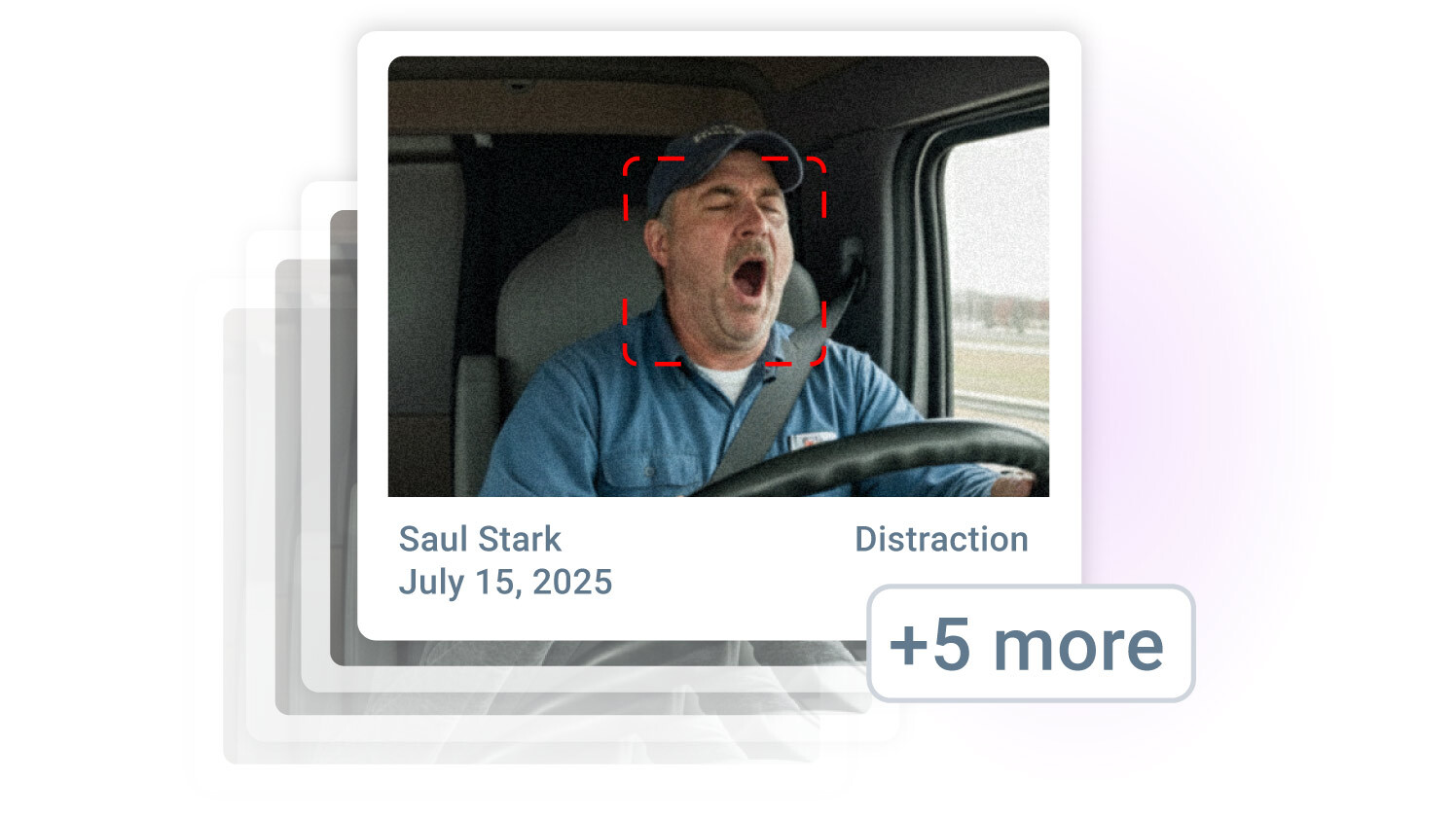
Safer habits sooner: Instant, in-cab voice cues encourage safer driving during a risky event.
Faster incident review: AI priortises critical risks and repeated unsafe patterns.
Targeted coaching workflow: Manage, monitor, and reward driver improvement within the platform.
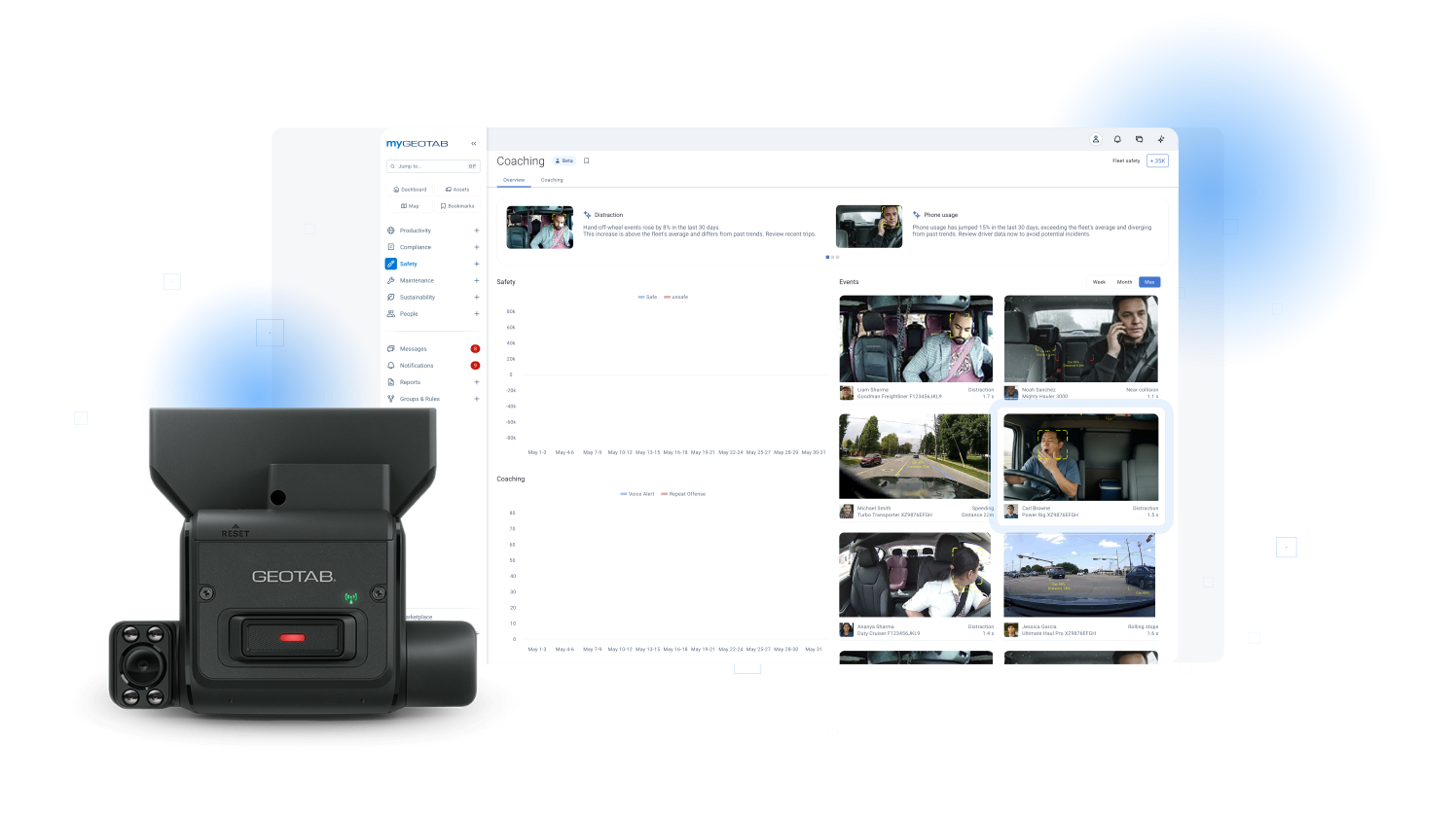
Critical events + video coaching in one
- Enhanced Safety: The system promotes better real-time driving habits and enables effective coaching for fleet managers based on critical event video and context.
- Instant Alert: Drivers receive in-cab voice warnings for high-risk behaviour (e.g. fatigue, tailgating, and hard braking) while fleet managers instantly receive video and context for the most critical events.
- Faster Review: The GO Focus Plus AI dashcam cuts down on review time and streamlines the workflow for fleet managers, enabling efficient urgent risk review.
Why GO Focus Plus for safer driving
Results that stand out when critical events, feedback and coaching all work together

Enhanced safety
Immediate feedback corrects risky habits, significantly reducing collisions.

Efficient risk management
Critical events and unsafe patterns are prioritised for fast identification and targeted coaching.

Effective coaching
Alerts connect to follow-up actions; track progress and acknowledge improvements within one workflow.

Built-in privacy and data accuracy
Events are detected in-vehicle for faster, more accurate alerts and robust data protection.

Continuous improvement
The platform constantly improves with AI-powered detection and smarter workflow enhancements.

Unified visibility
Video, telematics, and coaching tools are integrated for complete fleet visibility and data-driven decisions.
What you get with GO Focus Plus
AI dashcam provides instant voice feedback, critical event alerts, and seamless coaching to keep your fleet focused, protected, and prepared.
Smart Sequence™ & Critical Alerts
Highlight key risks and proactively inform managers of trends.
- Smart Sequence™ surfaces and flags the riskiest behaviours and events first.
- The breadcrumb trail previews the infraction's most impactful moment for fast review.
- Flags compound risks, directing manager attention to maximise safety improvements.
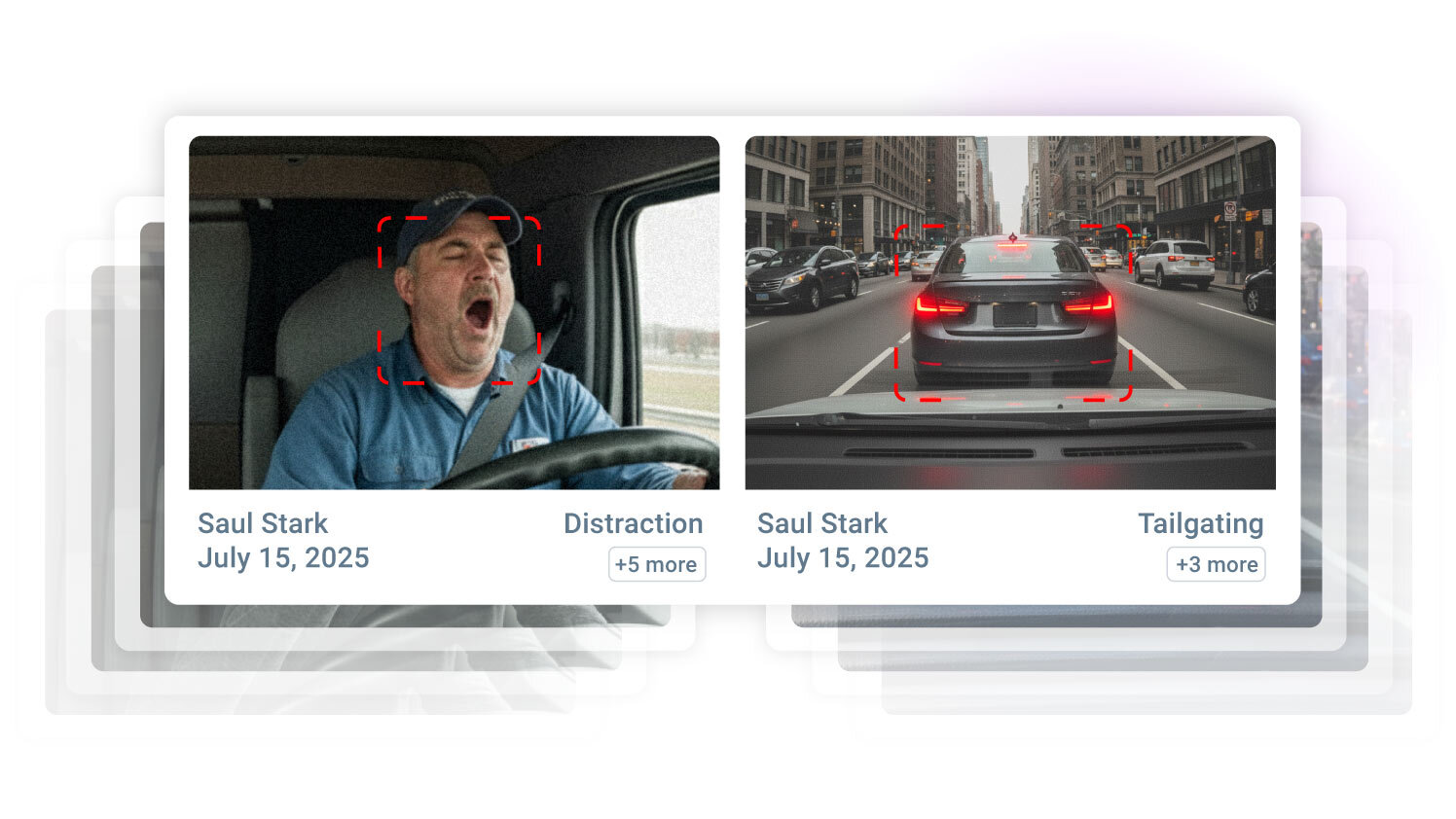
In-cab voice alerts
Identify risky driving for immediate correction.
- Instantly detects key events like distraction, tailgating, and hard braking.
- Delivers voice alerts to help drivers self-correct instantly.
- Reinforces safer habits on every route.
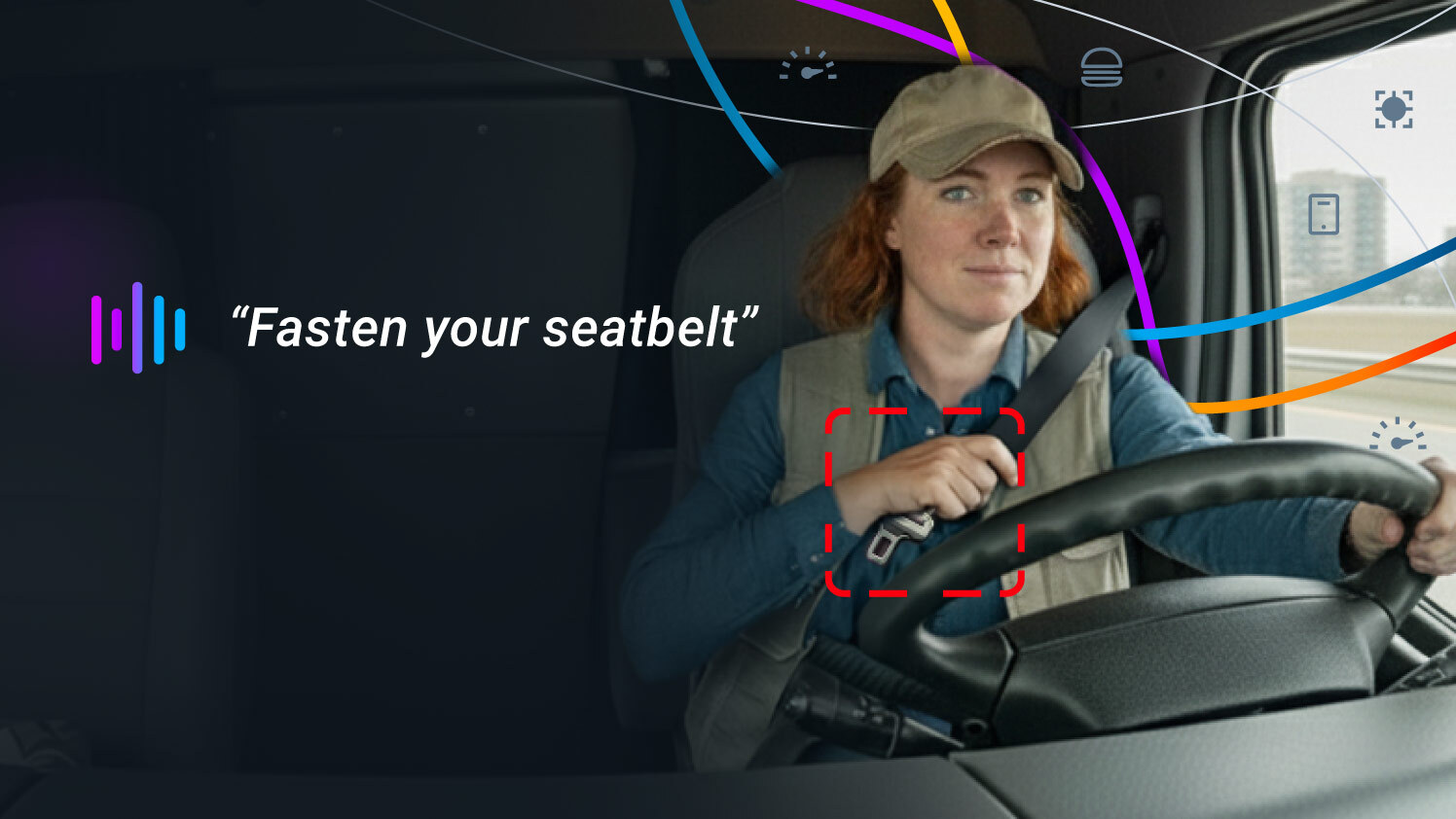
Coaching Workflow & Smart Driver ID
Transform alerts into measurable, trackable opportunities for driver improvement.
- Connects each event to coaching steps in MyGeotab.
- Smart Driver ID ensures events are matched to the correct driver for fair and effective coaching.
- Assigns feedback, tracks progress automatically, and makes recognition part of daily operations.
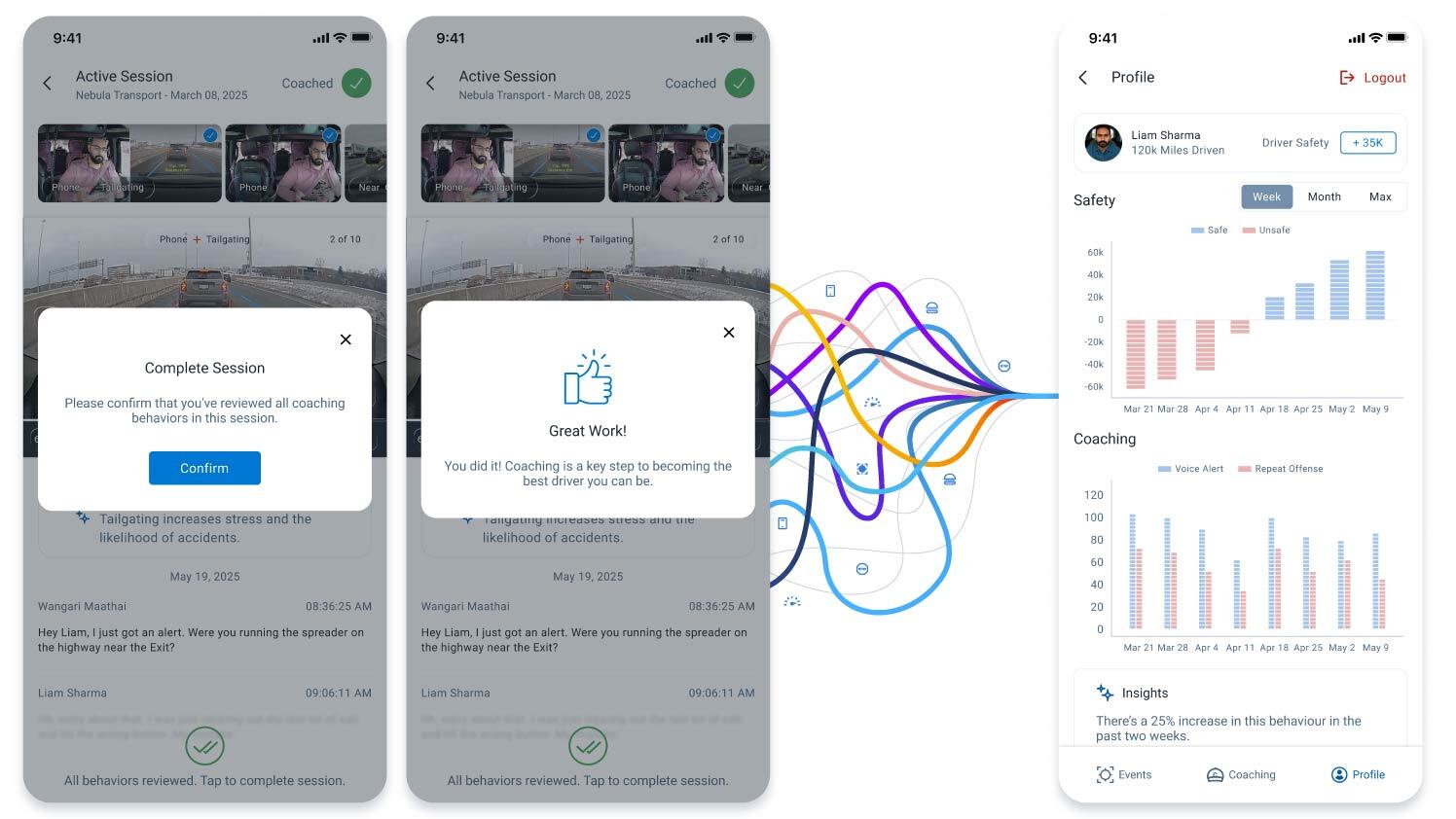
High Severity & Patterns for Fleet Risk Mitigation
Address repeated fleet-wide unsafe patterns proactively.
- Uses pattern recognition technology to flag emerging high-risk behaviors.
- Managers save time by surfacing high-severity and repeat patterns first, eliminating hours spent sifting through footage.
- Enables targeted support for drivers who show persistent unsafe habits.
Easy installation
Setup is quick, works for any fleet, and requires no IT support or manual calibration.
- Connects and pairs automatically with your GO device
- Calibrates itself for every vehicle
- Minimal setup required
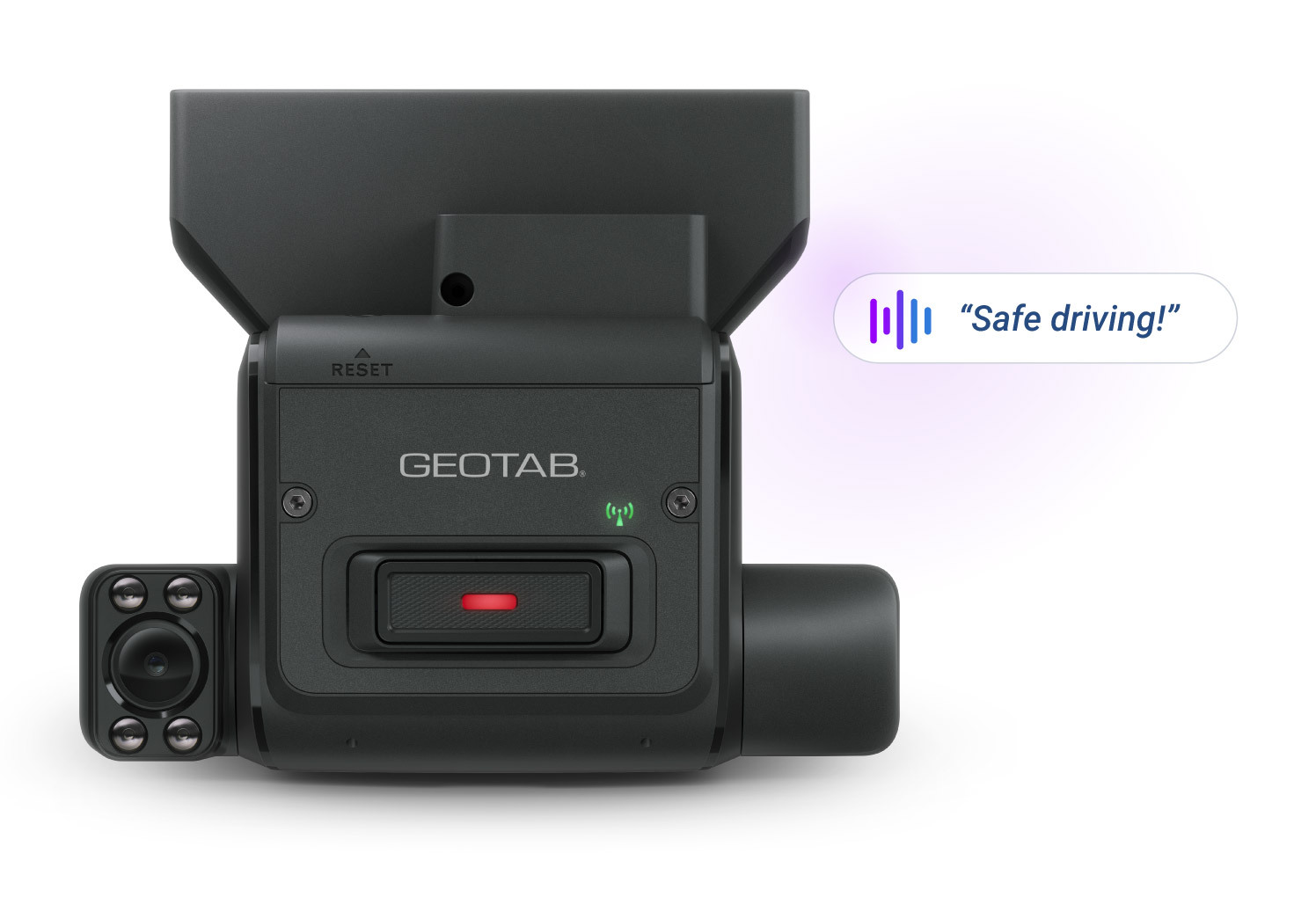
Driver-centric
Flexible options for any driver and vehicle.
- Road and cabin lenses adjust to fit different setups
- Event button lets drivers flag footage they want to review
- Enable privacy options with a single switch
.svg)
.svg)
How GO Focus Plus reduces risky driving
AI dashcam tackles fatigue, distracted driving, and other critical risks. See how each event moves from detection to improvement, helping your fleet prevent incidents.
Step 1: On-device computer vision detects risky driving behaviour (fatigue, distraction, tailgating, hard braking).
Step 2: Events are analysed on the device as they occur.
Step 3: The driver instantly receives an in-cab voice alert.
Step 4: Drivers self-correct instantly, reducing incident risk.
Step 5: High-severity or repeated risky events are automatically flagged to the fleet manager.
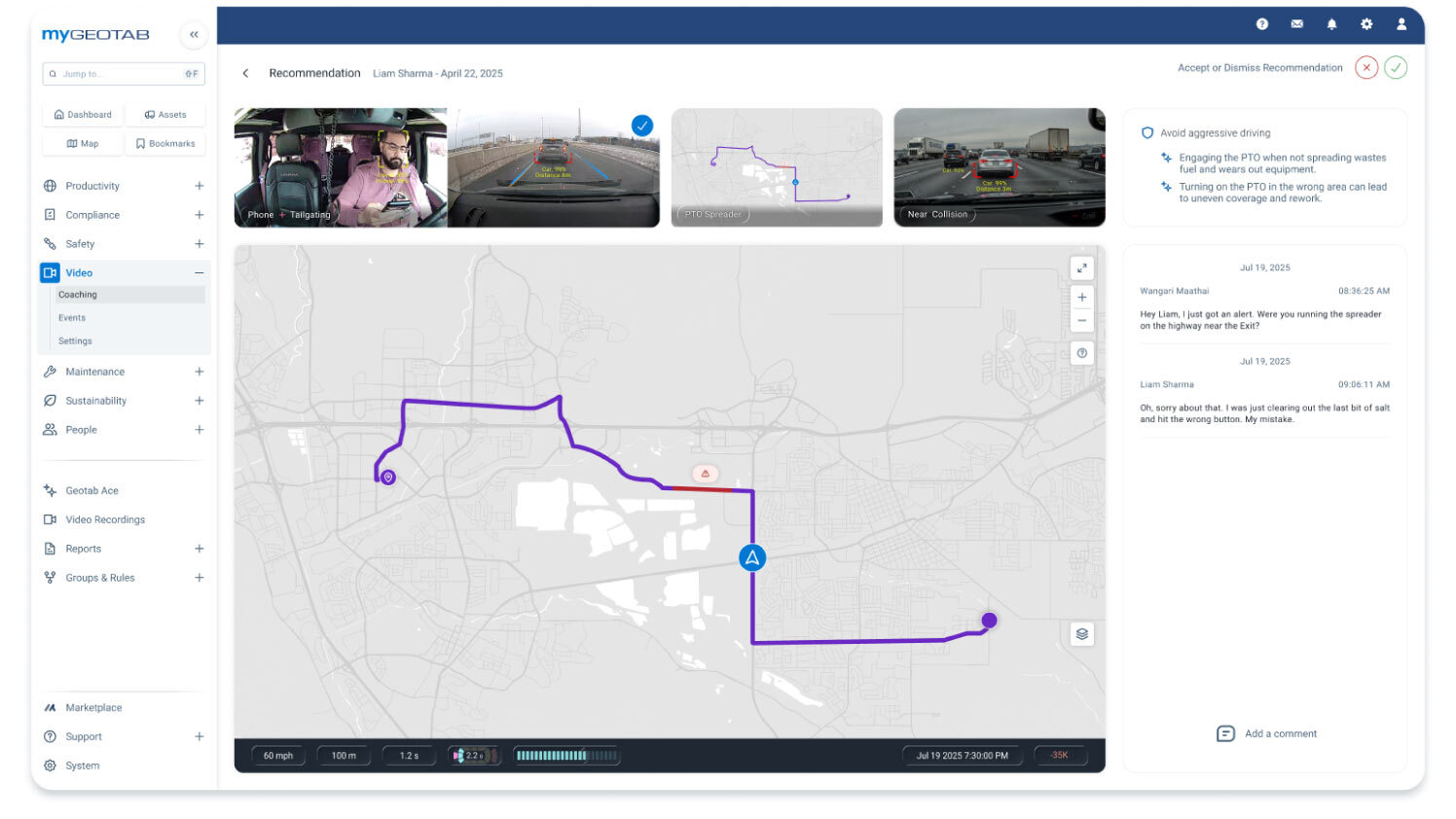
Step 6: Managers review video and event data, then use the driver coaching workflow to assign targeted feedback or coaching.
Step 7: Drivers use in-app feedback and recommended actions to improve future driving safety.
Coaching workflow that makes every alert count
- Reduce fleet risk - Using dashboards to highlight the drivers and behaviors needing immediate attention based on the seriousness of the event.
- Converts driving events into coaching moments - Using Go Focus Plus AI dashcam and MyGeotab, fleet managers get event video, a risk score, and suggested actions for instant feedback and improvement tracking.
Commonly asked questions
What are the GO Focus Plus default camera rules thresholds?
Geotab GO Focus Plus supports a wide range of rules related to ADAS and DMS. Rule thresholds are the values that control the sensitivity of the rule and can be adjusted to meet specific customer requirements. Learn more
Does GO Focus Plus work when the vehicle is parked?
The GO Focus Plus uses the built in accelerometer to wake up and go into operating mode automatically upon moving.
How long does footage stay on the dash cam?
The GO Focus Plus includes a 128GB SD card and has a capacity of about 60 hours of drive time. It can be extended up to 4to 8-times with a larger SD card (sold separately).
Can I download the videos?
Yes, users can save any videos of interest directly to their computer or company medium if needed for a longer time period.
Does GO Focus Plus work when the vehicle is parked?
The GO Focus Plus uses the built in accelerometer to wake up and go into operating mode automatically upon moving.
What camera data is recorded with an event?
There are 4 combinations to choose from:
- Snapshot and video: Records a snapshot and a video.
- Snapshot: Records a snapshot.
- Video: Records a video.
- None: Does not record a snapshot or a video.
How long after unsafe driving occurs will I be able to review my video?
Videos of events are stored in MyGeotab for 365 days by default.
Is video on demand available?
Yes, video from the GO Focus Plus can be viewed in real time from the trips history page.
Get ahead of risk
See how distraction-detection and targeted coaching make every route safer, register your interest.