Geotab AI-powered dash cams: Compare GO Focus Plus and GO Focus Pro
A side-by-side look at Geotab's GO Focus Plus and GO Focus Pro AI-powered video telematics dash cameras, covering features, technical differences, and ideal use cases to help Australian fleet managers choose the right configuration.
Jul 12, 2026
Key Insights
- AI-supported video + telematics: Geotab dash cameras combine AI-supported video with telematics data in MyGeotab to help fleets review incidents faster and support driver coaching.
- GO Focus Plus: GO Focus Plus provides road-facing incident visibility for driver exoneration as well as driver-facing insights for coaching workflows.
- GO Focus Pro: Supports auxiliary cameras for expanded coverage across blind spots and complex vehicle environments.
- One platform: Integrated video telematics helps fleets manage safety insights, incident review, and performance data in one platform.
Geotab dash cams and video telematics support modern fleet safety programmes by combining fleet video evidence with telematics data in MyGeotab. Instead of functioning as standalone recording devices, these cameras connect driving events with vehicle context such as speed, location, and risk patterns.
This allows fleets to review incidents more efficiently, support consistent driver coaching, and maintain documentation for compliance and claims workflows.
The Geotab GO Focus lineup reflects this shift toward integrated video telematics. The GO Focus Plus and GO Focus Pro each provide different levels of visibility and AI-supported insight depending on a fleet's goals and operational complexity.
This guide compares key features, technical differences, and ideal use cases to help fleet managers select the configuration that best aligns with safety priorities and compliance requirements.
Geotab dash cameras comparison overview
Geotab fleet dash cameras combine AI-supported video with telematics data in MyGeotab, giving fleets clearer visibility into driving risk and incident context. Because video events align with GPS data, vehicle activity, and safety metrics, fleets can review incidents more quickly and support more consistent driver-coaching workflows.
The GO Focus lineup includes two models designed for different levels of visibility:
- GO Focus Plus adds driver-facing monitoring to support coaching programmes
- GO Focus Pro supports auxiliary cameras for expanded coverage across complex vehicle environments
Read more to explore the product differences further:
| Model | Best for | Camera configuration | Key capability |
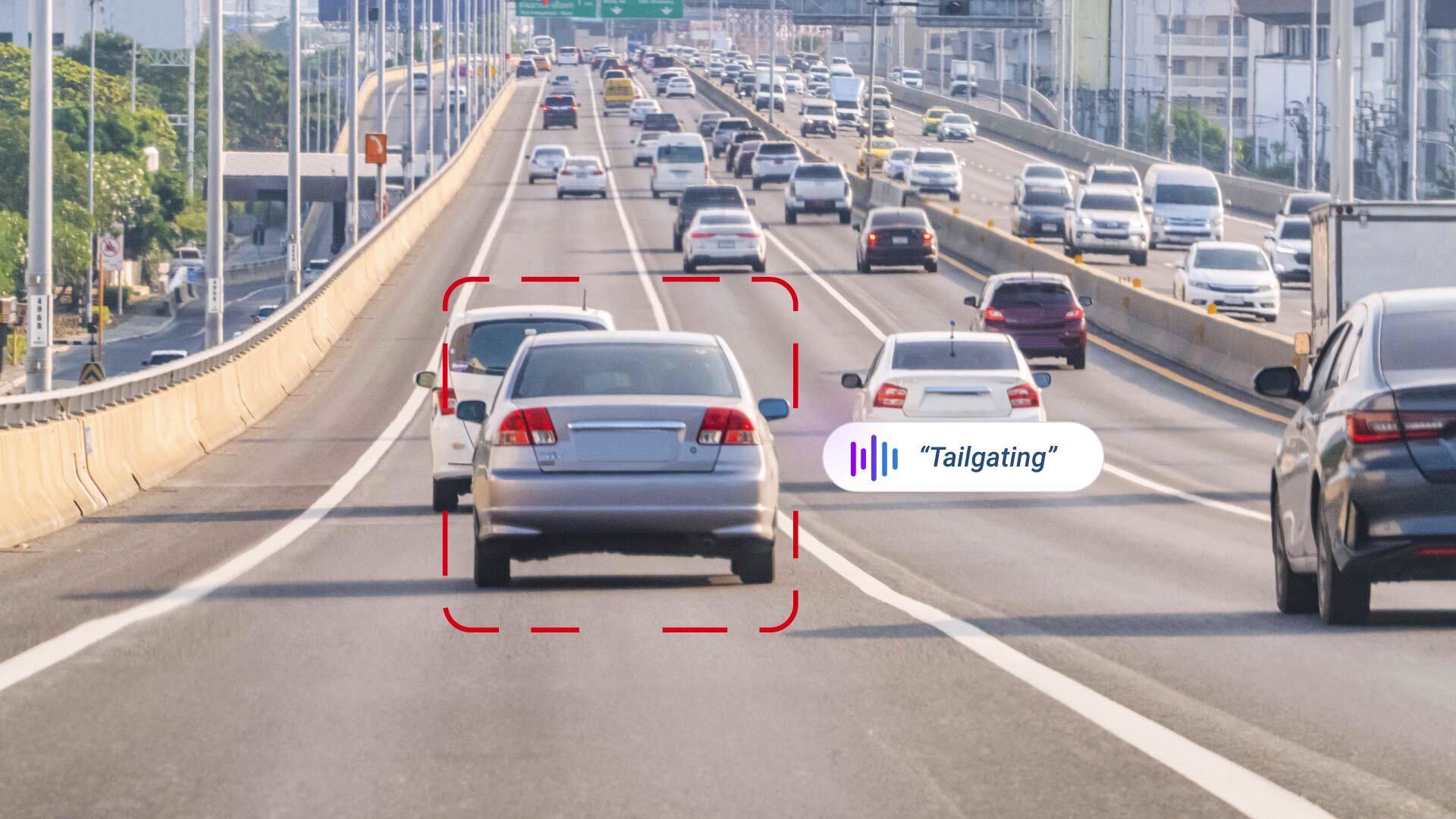
| Geotab GO Focus Plus | Dual-facing visibility and driver coaching | Road and driver-facing cameras | Captures external events such as tailgating. Supports both ADAS and DMS insights, in-cabin verbal alerts, and coaching workflows |
| Geotab GO Focus Pro | 360-degree fleet visibility | Multi-camera support, including auxiliary cameras | Provides expanded visibility across blind spots and complex vehicle environments |
1. Geotab GO Focus Plus
Best for: Dual-facing visibility and driver coaching
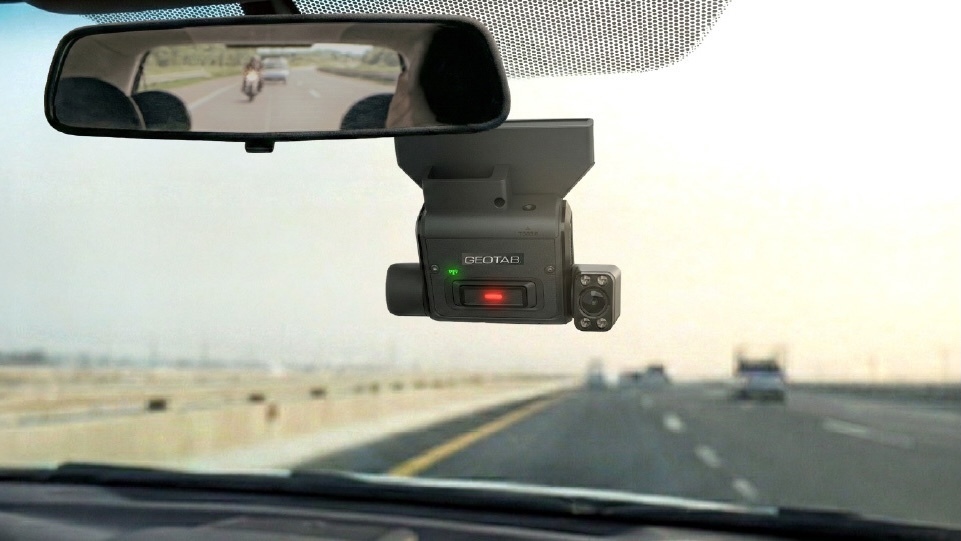
GO Focus Plus adds an inward-facing lens that expands fleet visibility beyond road conditions to include driver behaviour insights. This enables Driver Monitoring System (DMS) capabilities to identify risk factors such as:
- Mobile phone use
- Fatigue indicators
- Smoking
- Lack of seatbelt use
By combining road-facing and driver-facing video, fleets gain a more complete understanding of incident context and contributing factors that may increase safety risk.
.jpg)
AI detection occurs directly on the device, allowing real-time in-cab voice alerts when risky behaviours are identified. Drivers can self-correct during trips, while managers receive prioritised video events that highlight repeated patterns such as distracted driving or tailgating.
These insights feed directly into MyGeotab coaching workflows, enabling managers to assign feedback and document improvement within the same platform.
GO Focus Plus also includes privacy features designed to support compliance and driver transparency. Physical lens covers and configurable settings allow recording to be limited during non-working hours, helping fleets balance safety visibility with driver privacy considerations.
This model is commonly used by fleets seeking measurable improvements in driver behaviour that may support lower incident frequency and stronger insurance risk profiles, while maintaining a structured driver coaching workflow supported by video evidence.
2. Geotab GO Focus Pro
Best for: Multi-camera visibility across complex vehicle environments
GO Focus Pro expands video telematics beyond dual-facing cameras by supporting auxiliary cameras that provide 360-degree visibility around the vehicle. This configuration helps fleets monitor:
- Blind spots
- Cargo areas
- Rear surroundings
This is especially valuable for heavy-duty trucks, waste vehicles, transit buses, and other vehicles operating in dense or high-risk environments.
By combining road-facing, driver-facing, and external camera views, fleets gain broader context for incident analysis and day-to-day operational visibility.
.jpg)
This system integrates side-view, rear-view, and cargo-area footage directly into MyGeotab, allowing managers to review multiple camera angles alongside telematics data such as location, speed, and safety events.
AI models continuously analyse video to identify risks, such as forward-collision exposure, unsafe backing conditions, or vulnerable road users near the vehicle. Real-time in-cab alerts allow drivers to self-correct during trips, helping reduce preventable incidents such as backing collisions.
GO Focus Pro hardware is designed for demanding operating conditions and supports multiple high-definition video feeds simultaneously. The system's processing capability enables AI detection to run directly on the device, delivering faster alerts and consistent performance across multi-camera configurations.
With expanded visibility, predictive risk detection, and integrated coaching workflows, GO Focus Pro helps fleets reduce incident frequency and improve overall safety performance across complex vehicle types.
Technical comparison: GO Focus Plus vs GO Focus Pro
Key differences between GO Focus Plus and GO Focus Pro include:
- Camera coverage
- AI detection capabilities
- Vehicle complexity
Each model connects directly to the Geotab GO device and integrates with MyGeotab, enabling video footage to align with telematics data, including GPS location, and driver safety metrics.
All models support event-based recording, while higher-tier configurations can support additional cameras or increased video retrieval needs. Fleets can choose the level of visibility required based on vehicle type, safety priorities, and operational risk exposure.
| Model | Camera count | AI detection focus | Storage considerations |
| GO Focus Plus | 2 cameras (road + driver) + 1 auxiliary camera |
| 128 GB SD card with the option for 512 GB or 1TB |
| GO Focus Pro | 2 cameras (road + driver) + up to 5 auxiliary cameras |
| Two SD card slots, each supporting up to 1 TB, for a total capacity of 2 TB |
Installation, connectivity and data plans
GO Focus Plus can connect directly to the GO9 device using a Smart Cable or harness, allowing power and data transfer through a single installation point, and can also be installed using either a 3-Wire or OBD-II style harness.
This simplifies deployment and ensures video events align with existing telematics workflows in MyGeotab.
Go Focus Plus and Pro both feature auto calibration which dramatically reduces the time to calibrate during installation and reduces accuracy issues caused by incorrect camera calibration
How Geotab cameras integrate with MyGeotab
Both GO focus Plus and Pro integrate directly with MyGeotab, allowing fleets to review video events alongside telematics data such as speed, location, and engine activity.
This unified view helps safety teams quickly understand incident context without switching between systems. Video clips, GPS data, and driver metrics are displayed in a single interface, simplifying investigations and enabling consistent documentation.
Because the GO Focus family of AI dash cameras connects natively to MyGeotab, video data aligns with existing reports and safety workflows. This integration reduces manual data handling and enables fleets to access relevant footage more quickly during incidents.
Video search and retrieval
The Video Search feature allows managers to locate clips using filters such as date, vehicle, location, or telematics events, such as harsh braking.
Event-based tagging helps teams quickly identify footage tied to safety incidents or risky driving behaviours.
For non-incident footage, the Request Video feature retrieves clips directly from the camera's internal storage. Managers can request a specific time range, and the footage uploads securely to MyGeotab for review. This supports investigations and operational review.
Safety scorecards and driver coaching
Video events contribute to driver safety scorecards, adding context to telematics data such as speeding or harsh braking. This helps fleets identify behaviour patterns and prioritise coaching opportunities based on observed risk factors.
AI detection can also trigger in-cab alerts when distracted driving is detected, helping drivers correct their behaviour in real time.
Over time, this feedback loop supports more consistent coaching and measurable safety improvements.
Comparing Geotab to Marketplace options
The Geotab Marketplace offers access to third-party video telematics providers, giving fleets flexibility when integrating existing hardware. For deeper platform integration, the native GO Focus line is typically recommended.
These cameras are designed for MyGeotab, allowing video events to align directly with telematics data and reporting tools. Marketplace options such as Lytx Surfsight may suit fleets with existing vendor relationships or specific configuration needs.
However, native Geotab hardware provides unified support, consistent firmware updates, and synchronised data through a single interface. This can reduce integration complexity and support long-term system stability.
Why native video telematics matters for modern fleets
Video telematics now supports proactive safety by identifying risk patterns through AI-detected events. Instead of reviewing footage only after incidents occur, fleets can use video insights to guide coaching and reduce preventable risk.
When video data lives within MyGeotab, fleets can connect footage to GPS location, engine diagnostics, and driver performance metrics without switching platforms. This simplifies data management and improves access to relevant incident context.
Edge computing allows AI detections to occur directly on the device, enabling real-time in-cab alerts. Immediate feedback helps drivers respond sooner, supporting safer driving behaviour and reducing incident frequency over time. In some cases, improved safety performance may lead to lower fleet insurance costs.
Selecting the right camera for your fleet safety strategy
Choosing between GO Focus Plus and GO Focus Pro depends on the level of visibility and driver insight your fleet requires.
GO Focus Plus provides road-facing video for external incident evidence and adds driver-facing visibility to support coaching workflows and identify behaviours that increase safety risk. GO Focus Pro supports auxiliary cameras for expanded coverage across vehicles with blind spots or more complex operating environments.
Because the GO Focus range of AI-powered dash cams integrate directly with MyGeotab, fleets can manage video, telematics data, and safety performance in one platform.
Use the fleet dash cam selector tool to compare configurations based on vehicle type, risk exposure, and operational needs.
To evaluate the best fit for your fleet, request a demo with the Geotab team or an authorised reseller.
.jpg)
Frequently Asked Questions
Storage duration depends on the GO Focus model and camera configuration. GO Focus includes a built-in, non-removable SD card that stores event-based footage internally. Storage capacity is fixed and designed to support standard safety event capture. GO Focus Plus and GO Focus Pro use removable Micro SDXC cards, starting at 128GB, which typically store approximately 35–40 hours of drive time with a dual-camera configuration. These models support larger capacity cards, allowing fleets to expand storage based on operational needs. Storage duration may decrease when auxiliary cameras are added or when recording frequency increases.
When using the Smart Cable, the Go Focus Plus dash camera connects directly to the GO device and pairs automatically within MyGeotab. This simplifies installation and allows video events to align with telematics data. Three-wire harness and OBD-II options are also available for vehicles with OEM telematics systems (these do not currently offer auto-pairing).
GO Focus Plus and GO Focus Pro include built-in cellular connectivity, so a separate SIM card or external connectivity setup is not required. This allows video events to upload automatically without relying on the vehicle's existing network connection.
GO Focus Plus and GO Focus Pro use 940 nm infrared LEDs to capture clear in-cabin footage in low-light or nighttime conditions. This allows the AI to detect behaviours such as mobile phone use, fatigue indicators, and lack of seatbelt use, even in limited visibility.
When a collision or safety event is detected, the system automatically uploads a video clip to the cloud along with related telematics data such as speed, braking activity, and GPS location. Video events are typically retained for up to one year, depending on configuration, allowing fleets to download footage to support incident review and driver exoneration.
Genevieve Bouchard is a Support Community Manager at Geotab.
Related posts
Geotab GO Focus Plus Camera Rules, Thresholds, and Event Buffers
February 24, 2026
1 minute read
Sustainability Centre: central hub for sustainable fleet management
January 28, 2025
2 minute read
Navigating the Future: Five telematics trends taking 2024 by storm
January 18, 2024
3 minute read