How fleet managers should respond to a suspected crash-for-cash incident
A practical five-step process for fleet managers to capture, match and submit dash cam and telematics evidence after a suspected crash-for-cash incident.

By Geotab Team
Oct 15, 2026
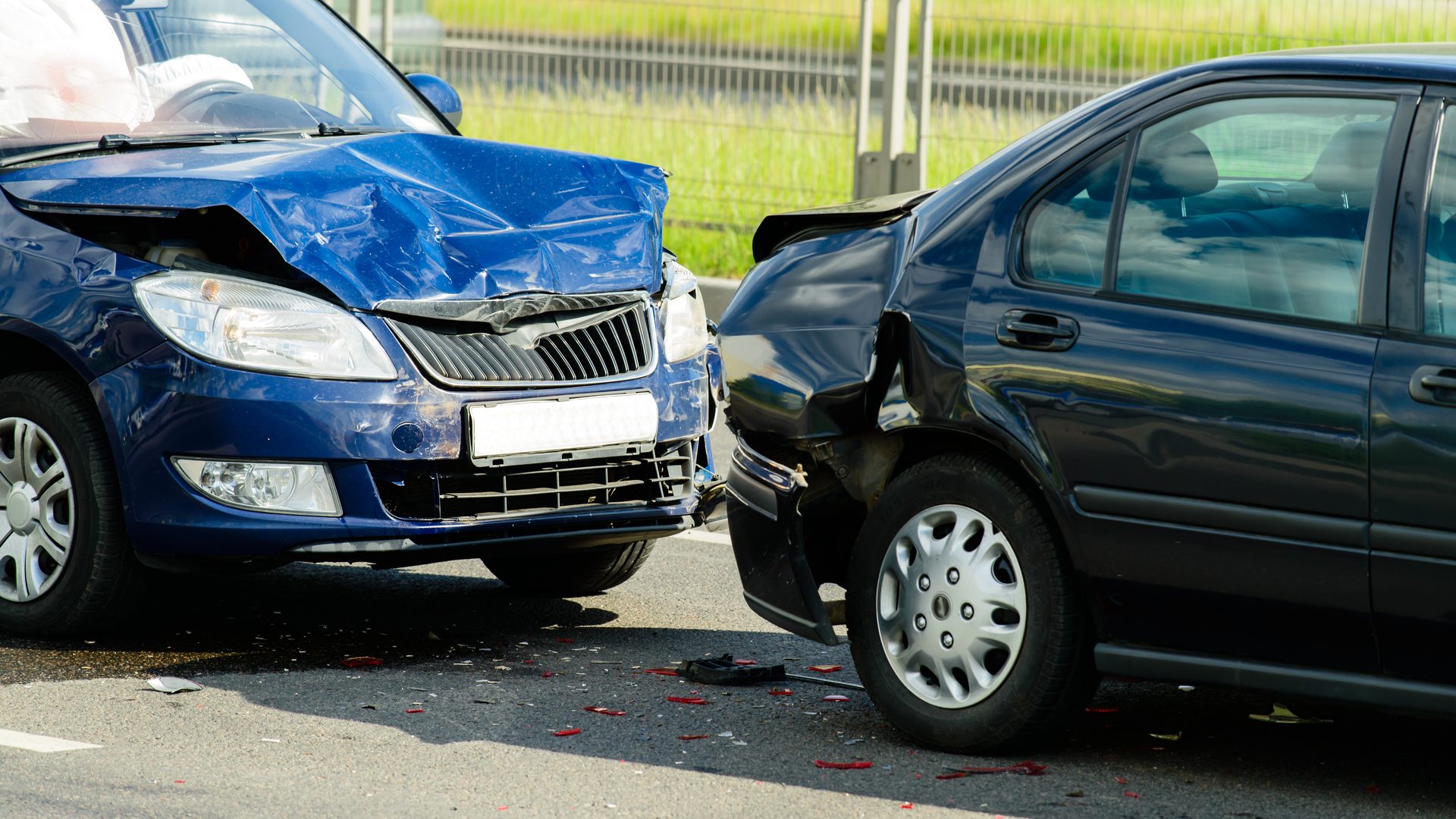
Key Insights
- 59% of UK van drivers believe they have been wrongly held liable in an accident while driving for work.
- After a suspected crash for cash incident, review and download the video and matching telematics data immediately, then build an evidence pack to present to insurers.
- Integrated video telematics reduces the time spent matching separate data sources and gives insurers a more complete record of what happened during a disputed collision.
What should a fleet manager do in the first few hours after a suspected crash-for-cash incident?
In the first few hours after a suspected crash for cash incident, fleet managers should capture the driver’s account and scene evidence, preserve the relevant dash cam footage, retrieve the matching telematics data, check that the evidence tells a consistent story, and submit a claims-ready evidence pack to your insurer.
Why speed of incident reporting is so important
Video evidence can help establish what happened, but its value depends on how quickly it is retrieved, preserved and submitted. Prompt first notification of loss (FNOL) gives insurers earlier access to the evidence they need to assess liability and can prevent a disputed claim from gathering unnecessary cost and complexity.
For more on how dash cams support driver exoneration and false-claim defence, check out our guide to how dash cams can protect your drivers and your business, and our post on how European fleets can use AI video telematics to stop false insurance claims.
The five-step crash for cash evidence pack
When a driver is targeted by one of the common crash for cash scams, having a dash camera is only the starting point. You also need a streamlined, standardised process to turn the footage and supporting telematics into an insurer-ready incident report. So, what goes in a dash cam evidence pack? Below, we break down what the process should look like and what evidence you will need to compile.
This process relates only to insurance. You will also need to ascertain the physical and mental well-being of your driver and the roadworthiness of the vehicle, arranging for their recovery and assistance as required.
Capture your driver’s account and scene evidence
Call the driver, and once you have addressed the state of their immediate welfare and vehicle safety, record their factual account of what happened. Ask them to photograph the vehicles, damage, road layout and any relevant surroundings, and collect witness contact details, third-party details and a police incident/reference number where applicable.
Review and preserve the dash camera footage
Review and retrieve the relevant event footage immediately so it cannot be overwritten. Check that the incident is clearly captured and that the date and time correspond with the driver’s account. Preserve the original file before creating working copies for review or submission.
High-resolution footage, an appropriate frame rate and a sufficiently wide field of view can make the sequence of events easier to interpret, particularly in low light or at higher road speeds. Clearer footage may strengthen its evidential value during an insurance or liability dispute.
If your dash camera also has a driver-facing lens, review this to include as additional evidence.
Cross-reference the footage with the telematics data
Match the video event against the vehicle’s telematics record. Check the GPS locations, vehicle speed and any relevant harsh-event or event data, making sure the timestamps align across both sources so that the different evidence sources tell one coherent story. This gives the insurer a more comprehensive account of the vehicle’s movement before, during and immediately after the incident.
Save the original footage and supporting telematics data in a controlled evidence file, recording when it was retrieved, by whom and whether any copies have been created or shared. This helps preserve a clear chain of custody if the evidence is later challenged.
As standalone and OEM-installed dash cameras work in isolation, their video footage can be misaligned with the telematics logs. Meanwhile, siloed video insights force managers to navigate multiple platforms to piece together the events that led to a safety incident, slowing them down when time is critical.
Build and quality-check the evidence pack
Assemble the footage, telematics, driver statement, photographs and witness details in one folder. Check that dates, times, locations and vehicle details are consistent. Record who retrieved the original digital evidence, when it was retrieved and where it has been stored, then have the designated claims, risk or insurance lead sign off the pack.
Submit the FNOL and evidence pack promptly
Notify the insurer using its required FNOL process and submit the evidence already available. If additional evidence such as police reports is not immediately available, don’t let that stop you from submitting the claim. This evidence can be added to the case file later, after the FNOL has been reported.
Many insurers now allow fleets to record the incident through an eNOL app or platform. This can be faster and more streamlined than calling their hotline. As well as attaching your evidence pack, you will need to inform them of the scope of the vehicles’ damage and who you believe to be at fault.
The mistakes that get even a strong defence rejected
Even if the vehicle involved in the crash-for-cash set-up was fitted with a fleet dash camera, this alone isn’t enough to protect you against the claim. If you don’t provide your insurer with the FNOL or incident report promptly, together with the camera footage, then the third party may have already made their claim and be racking up hire costs and medical bills. An inaccurate or missing timestamp can weaken the evidential value of the footage by making it harder to align the video with the driver’s account and telematics record, and without the telematics data to support your driver’s story, the footage alone may not be sufficiently conclusive to support them.
Evidence can also be weakened if the original file is overwritten, edited or shared without a clear record of who retrieved and handled it. Preserve the original footage and telematics data and maintain a simple chain-of-custody log.
What you can prove after an incident
The strength of the evidence depends on whether you have a fleet dash cam, and whether the camera operates independently or is integrated with vehicle telematics. The table below shows the difference in what each evidence source can establish after an incident.
| Evidence | Footage | Vehicle GPS location | Vehicle speed | Harsh event data | Typical retrieval process |
|---|---|---|---|---|---|
| Driver statement alone | No | Driver reported | Driver reported | No | Interview |
| Standalone video footage | Yes | Depends on device | Depends on device | Usually no | Retrieve from camera system/platform |
| Integrated video and telematics data | Yes | Yes | Yes | Yes | Retrieve everything from one platform |
How Geotab helps
Geotab’s GO Focus camera systems integrate video with vehicle telematics in MyGeotab via the GO9 telematics device, allowing fleet managers to instantly extract incident footage and review the video evidence alongside supporting vehicle data from the event. This creates a more complete and unbiased evidence record for investigating crash for cash incidents and other disputed collisions.
This combined video telematics evidence can help exonerate drivers involved in crash for cash and other non-fault collisions, protecting their livelihoods, reducing disputes, and helping fleets manage insurance claims more effectively.
With the GO Focus Plus, fleets gain the perspective of an in-cab lens, while Geotab’s integrated telematics data provides context such as vehicle location and speed. Bringing these evidence sources together can accelerate incident investigation and help insurers establish what happened faster.
Find out how Geotab’s integrated video telematics insights can help you quickly exonerate your driver in a crash-for-cash incident
Subscribe to the Geotab Blog
Frequently Asked Questions
Yes. Footage from a dash cam for fleet vehicles can be used as evidence in UK road-traffic liability disputes and may be submitted alongside photographs, witness statements and other supporting material. Its value depends on how clearly it shows the incident and whether its timing and authenticity can be established.
For fleets, the strongest evidence combines the original video with matching telematics data such as GPS location and vehicle speed. An accurate timestamp helps align the footage with the wider incident record, while preserving the original file reduces the risk of its integrity being questioned.
There is no single UK GDPR retention period for dash cam footage. Fleets should keep personal data only for as long as it is needed for the purpose for which it was collected and document that period in their retention policy.
Where footage relates to an accident, insurance claim, legal dispute or police investigation, there may be a justified reason to preserve that specific recording for longer. Once it is no longer required, it should be securely deleted in line with the organisation’s retention schedule.
Driver consent is not automatically required for an employer to use fleet dash cam footage. However, the organisation must have a valid lawful basis under UK data protection law and be transparent about how the cameras are used. In a 2025 Geotab survey, 91.6% of European drivers said they would accept in-cab cameras if they could use the footage to prove their own innocence in an incident.
The ICO states that monitoring drivers with cameras requires a Data Protection Impact Assessment (DPIA). Fleets should consult drivers and, where relevant, unions or employee representatives, document the purpose of the monitoring, define who can access footage and establish clear retention and usage policies. Legitimate interests may be an appropriate lawful basis in some circumstances, supported by an LIA where relevant.
Geotab Team
The Geotab Team write about company news.
Table of contents
- What should a fleet manager do in the first few hours after a suspected crash-for-cash incident?
- Why speed of incident reporting is so important
- The five-step crash for cash evidence pack
- The mistakes that get even a strong defence rejected
- What you can prove after an incident
- How Geotab helps
- Find out how Geotab’s integrated video telematics insights can help you quickly exonerate your driver in a crash-for-cash incident
Subscribe to the Geotab Blog
Related posts
How small businesses use telematics to slash operational costs
October 19, 2026
2 minute read
The 5 most common digital tachograph penalties in EMEA (and how SMBs can avoid them)
October 9, 2026
2 minute read

Beyond van tracking: turning fleet data into bottom-line growth
October 9, 2026
3 minute read

How small construction fleets use asset tracking to halt site theft
September 9, 2026
2 minute read

Is fleet telematics worth the money? Calculating your small fleet ROI
September 9, 2026
2 minute read

Why manual spreadsheet fleet tracking fails UK small businesses
September 9, 2026
2 minute read