Four ways to transform garbage fleet efficiency with data and video tools
Looking to improve garbage fleet efficiency? Discover how video tools and fleet data can help your team keep service reliable and operating costs lower.

Sep 21, 2026
Key Insights
- Verify scheduled collections to build a consistent service record, resolve customer disputes and support contract renewals.
- If you run a commercial fleet, use AI-enabled cameras to detect overages and help your team accurately bill for them.
- Save money by monitoring and reducing fuel consumption. Quickly act on reported faults to get ahead of critical truck issues.
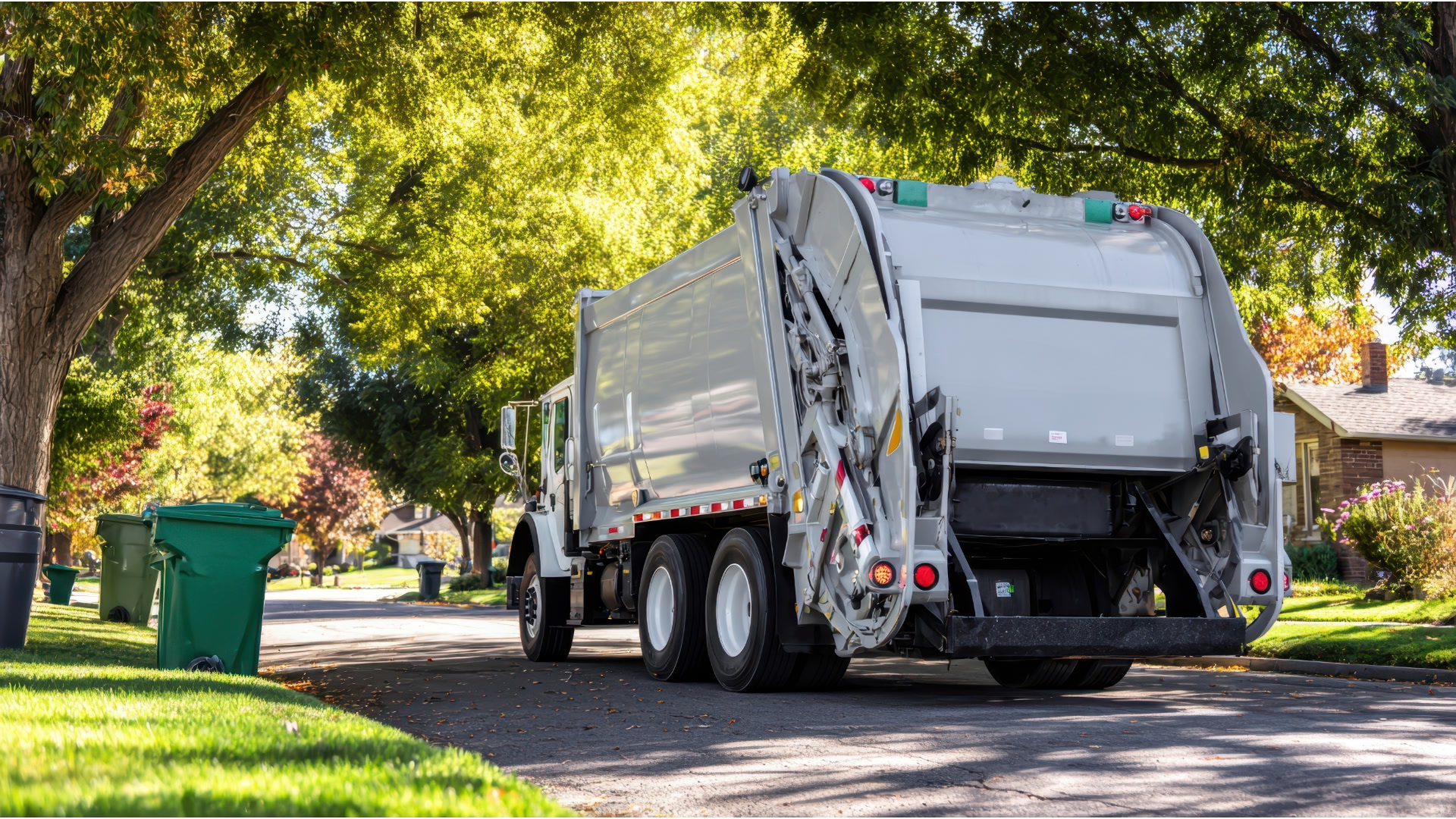
Operating costs are a constant battle for waste and recycling teams to control. When expenses rise, commercial waste fleets that already run on razor-thin margins see their profitability shrink even further. Meanwhile, municipal haulers may feel their budgets being stretched, despite service expectations from their communities staying the same. Whether your fleet is contracted or public, it’s important to know which pressures could be adding to your expenses:
- AAA’s gas prices tracker showed that as of September 1, 2026, the U.S. national average for a gallon of diesel fuel was about $5.63. That’s more than 50% higher than the $3.6907 average reported just one year ago.
- According to the Bureau of Labor Statistics, the mean annual wage for refuse and recyclable material collectors reached $52,820 in 2025; over a 10% increase from the $47,810 reported in May of 2023.
- The older your sanitation vehicles get, the more they can cost you. In a Waste Advantage Magazine article, Big Truck Rental stated that annually, aging garbage trucks are 20-40% more expensive to maintain than newer ones.
If you’re interested in spending less without service quality slipping, start by examining the productivity and performance of your waste fleet. Solutions like telematics can make this easier by helping you identify which areas of your fleet operations could be driving up costs. In this post, learn four ways that data and video tools can enable you to improve garbage fleet efficiency and save money while doing it.
1. Document stops with cameras, routing tools and telematics.
Each trip you make to redo a missed (or disputed) stop drains fuel and wears your trucks down over time. Without defensible evidence, you could be liable for more of these unnecessary trips any time a resident complains about their service. And if you run a commercial sanitation fleet, not having a clear record of operations also leaves you with little leverage during contract renewals.
But when you have tools to oversee and document service, it’s easier to demonstrate your team’s consistency and minimize the financial impact of return trips or lost contracts. Specific solutions support this by helping you:
- Verify scheduled stops: Use AI garbage truck cameras to monitor collections and check that planned pickups are conducted. For example, Geotab’s GO Focus Pro allows commercial waste fleets to attach up to five auxiliary cameras around their trucks and capture visual proof of scheduled service*.
- Track route progress: View truck locations in near real-time with telematics and audit your collection routes to confirm they’re staying on schedule.
- Document exceptions: Allow operators to log events like blocked or missing cans as they encounter them through integrated routing tools. And with manual event capture offered by certain dash cams, your team can also record evidence of those exceptions.
2. Detect bin overages using AI camera systems.
While having the ability to prove your service is crucial, so is knowing when certain stops involve more waste than planned. If you run a commercial fleet, accepting overages without an accurate way to bill for them caps your profit potential. But beyond missed revenue, regular overflows can also spill into higher operating costs, capacity issues and service delays that disappoint customers.
Select AI camera systems help you manage the hassles of overages by identifying when (and where) they happen. For example, GO Focus Pro can automatically detect when a container may be filled above its limit and record video of it*. Review that visual evidence to help determine whether any overage charges are warranted.
*Add-on features of GO Focus Pro that may incur additional charges.
3. Reduce garbage truck fuel consumption by making data-driven decisions.
Fuel is one of your fleet’s largest variable costs, and there are other ways to save it besides just limiting unproductive trips. The conditions of your vehicles (and how your operators drive) can also influence garbage truck fuel consumption. With fleet data, you can improve your trucks’ performance and coach your team to avoid behaviors that stifle fuel economy. Here are three quick examples of how:
- Tracking aggressive driving: According to the U.S. Department of Energy, speeding, abrupt braking or acceleration can decrease fuel economy by 15-30% at highway speeds. With telematics, you can see if operators are regularly engaging in these behaviors and help reduce them.
- Monitoring unproductive idling: During collection, idling is often unavoidable. However, it should be limited outside of service hours whenever possible. Platforms like Geotab allow you to set area-, duration- and schedule-based conditions for idling alerts, so you can identify when the practice goes beyond what’s acceptable.
- Managing tire pressure: Proper tire inflation can help improve fuel economy by up to 3%, and with the right solution, pressure levels are simpler to stay on top of across your entire fleet. For instance, Geotab integrates with Revvo, a system that helps you know when your trucks’ tire pressure readings are lower than normal, what their temperatures are and if possible leaks are detected.
4. Use proactive maintenance to cut costs and keep your collection trucks service-ready.
Another factor that impacts garbage fleet efficiency is your trucks’ health. Market Growth Reports estimates that yearly garbage fleet maintenance costs can account for 9% of a truck’s acquisition value (affected by factors like environment and duty cycles). If one of your vehicles unexpectedly breaks down, you could be stuck with a high repair bill, not to mention the added stress of deciding who takes on the extra workload.
To help prevent failures from impacting service (or what you spend on maintenance), it’s critical to spot vehicle issues earlier. Platforms like Geotab can help you catch potential problems in advance of a breakdown with detailed fault-code reporting. Instead of waiting for an operator to let you know about a check-engine light, you can schedule a shop visit as soon as the fault is detected. This helps you minimize unplanned downtime and keep more vehicles available for daily hauling.
Enhance your garbage fleet’s efficiency with Geotab
Fleet inefficiencies don’t have to put extra pressure on your sanitation team. Through data and video insights, it’s easier to pinpoint and address them earlier, stay accountable and manage your operating costs.
Geotab helps you understand what’s behind those inefficiencies by bringing your fleet data and footage into one system. From monitoring collection progress to spotting fuel waste, use a clearer view of your operations to deliver better service to your community.
Want more ways to improve garbage fleet efficiency? Download this ebook for additional useful strategies.
Subscribe to get industry tips and insights
Frequently Asked Questions
Benefits like these are possible when you improve your garbage fleet’s efficiency:
- Reduced fuel and maintenance costs.
- Safer operations through targeted operator coaching.
- Fewer resident complaints and more consistent service.
- Easier contract renewals, supported by a record of reliable operations.
Sanitation fleet solutions gather truck and driving activity data using in-vehicle hardware. They surface insights from that data to help leaders evaluate the performance, safety and utilization of their waste fleets and develop new strategies to improve each area. Over time, teams can measure the impact of those strategies and decide what to adjust or continue.
Garbage truck dash cams don’t just help you verify service. Select AI-enabled models can also help your drivers stay safer on the road with in-cab alerts. These tools are able to detect and flag risky or distracted behaviors like texting or tailgating, prompting your operators to self-correct in the moment. Use them to help protect your team, community and organization while you serve the public daily.
Content Marketing Manager at Geotab
Table of Contents
- 1. Document stops with cameras, routing tools and telematics.
- 2. Detect bin overages using AI camera systems.
- 3. Reduce garbage truck fuel consumption by making data-driven decisions.
- 4. Use proactive maintenance to cut costs and keep your collection trucks service-ready.
- Enhance your garbage fleet’s efficiency with Geotab
Subscribe to get industry tips and insights
Related posts
Top seven best fleet fuel cards: How to choose the right one for your business?
October 1, 2026
7 minute read

Why the OEM versus device-level telematics debate misses the point for mixed-fleet operators
September 25, 2026
2 minute read

6 benefits of an open, AI-powered fleet data platform
September 17, 2026
8 minute read

Field service GPS fleet tracking: what mid-market fleet managers need to know
September 15, 2026
4 minute read