Equipment tracking software: Top tools and how it improves fleets
Compare the top equipment tracking software platforms. Learn what key features to evaluate and a step-by-step framework fleets can use to choose the right solution.

By Geotab
Sep 15, 2026

Key Insights
- Equipment tracking software leverages telematics for real-time location monitoring, predictive maintenance and streamlined fleet management.
- The primary function of these tools is to provide continuous asset visibility to optimize routes, improve safety and enhance operational efficiency.
- When choosing a tool, compare core features, such as integrations, scalability, reporting, usability and security, to select the best solution for your fleet.
- Leading platforms range from enterprise telematics providers to dedicated software built for tool and inventory management.
A fleet manager arrives at a job site Monday morning and discovers that a $40,000 skid steer is missing. No one logged its last location, so the crew spends hours tracking it down through phone calls and guesswork. Equipment tracking software can help prevent this problem by using GPS, RFID or barcodes to monitor asset locations.
Tracking tools are essential for any business that manages vehicles or heavy equipment. With the best equipment tracking software, you can use the global positioning system (GPS) to easily know where your assets are at all times. This simple system helps reduce theft, save time and cut costs by offering real-time data and clear insights into asset locations. Beyond security and cost savings, it also improves overall operational efficiency.
This guide is for fleet managers, construction contractors, operations managers and facility heads who are evaluating equipment inventory tracking software to reduce asset loss and downtime. It covers how the software works, key features to evaluate, top platforms on the market and a framework for choosing the right solution.
Best equipment tracking software and devices for fleets
Below is a list of top-rated equipment tracking software and devices that specifically help with fleet management. These equipment management solutions offer features like real-time tracking, proactive maintenance and improved operational efficiency for your fleet. The right option depends on your fleet size, asset types and tracking requirements.
| Tool | Key features |
| Geotab |
|
| Fleetio |
|
| GoCodes |
|
| Asset Panda |
|
| Sortly |
|
Geotab
Best for:
Geotab is a telematics platform built around GPS tracking, driver safety monitoring and vehicle diagnostics. Its asset tracking capabilities extend visibility beyond vehicles to trailers and non-powered assets. Fleet managers can use that data to monitor different asset types through the same platform.
.jpg)
This approach suits fleets managing a mix of powered and non-powered equipment. This is because asset location data can be viewed alongside vehicle diagnostics, driver safety information and maintenance records. For operations using Geotab for vehicle tracking, adding asset tracking extends that same visibility to trailers, generators and more.
Geotab's key features include:
- Telematics and diagnostics: The Geotab GO device delivers real-time location updates, onboard diagnostic data and engine fault monitoring, showing where an asset is and how it is performing.
- Open platform architecture: An open platform and the Geotab Marketplace connect asset tracking data to third-party maintenance tools, ERPs and other business systems.
- Customizable reporting: MyGeotab offers customizable dashboards, utilization reports and fleet safety analytics. Asset tracking can also provide visibility when equipment moves between yards and job
H3: Fleetio
Fleetio is a dedicated fleet maintenance management platform focused on service automation, fuel tracking and vehicle health. It is designed for fleets that need to manage maintenance schedules, inspections and work orders.
.jpg)
Since Fleetio's primary focus is maintenance workflows, it may be a good fit for operations that already have location-tracking and need stronger tools for managing service schedules, inspections and work orders.
Fleetio's notable key features include:
- Preventive maintenance: Service schedules trigger automatically based on mileage, engine hours or calendar intervals, so a piece of equipment does not slip through the cracks between servicing.
- Mobile driver inspections: Digital inspection workflows let drivers complete pre- and post-trip checks from a mobile device instead of paper forms.
- Telematics integrations: Fleetio syncs natively with several leading GPS telematics providers, pulling location and diagnostic data into its maintenance workflows.
Learn more about Fleetio's integration with Geotab.
GoCodes
GoCodes is a QR code tracking platform designed for straightforward tool and asset management in field environments. It can suit operations that need a straightforward way to track tools and equipment moving between crews and job sites.
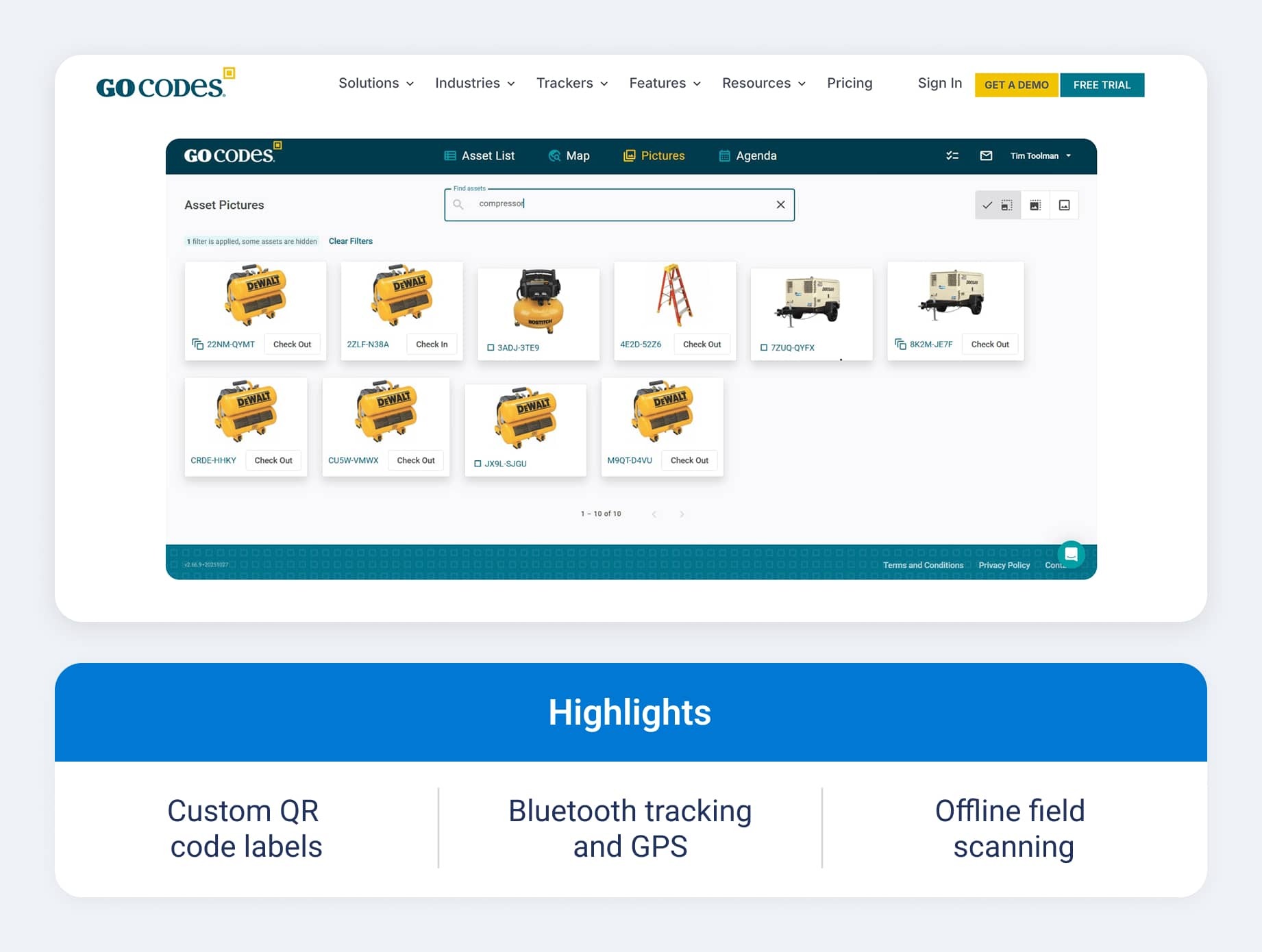
Unlike GPS-first platforms, GoCodes uses physical QR tags scanned by mobile devices. This approach can be useful for lower-value items that do not require continuous location tracking while still providing a record of where an asset was checked in or out.
GoCodes' key features:
- Custom QR code labels: Durable, weatherproof QR tags scan with any mobile device, giving field crews a low-cost way to check tools in and out without dedicated scanning software.
- High-value asset GPS: For items that warrant more than a QR code, Bluetooth and smartphone-assisted GPS tagging support live asset tracking as equipment moves between job sites.
- Offline field scanning: Crews can keep checking equipment in and out throughout the day, and records catch up once connectivity returns.
Asset Panda
Asset Panda is a cloud asset tracking platform that can be configured for custom workflows without requiring custom code. It works well for organizations that need more flexibility than a standard asset tracking tool offers but do not have the development resources to build a custom system.
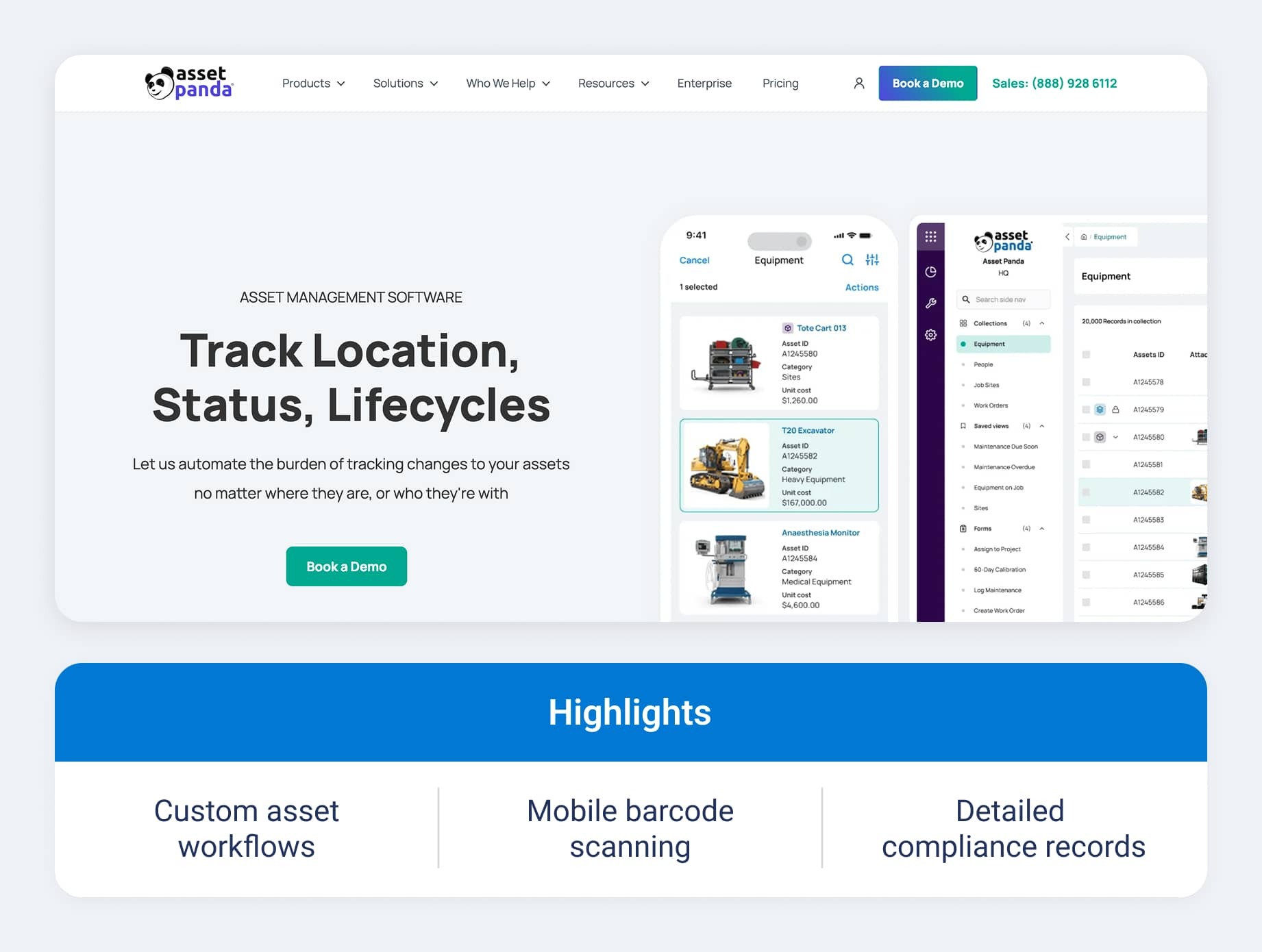
This configurability makes Asset Panda a common choice for operations with unique tracking requirements, such as government agencies or facilities teams, that need the platform to match an existing process rather than the other way around.
Asset Panda offers key features:
- Custom workflow configuration: Administrators can set up different workflows for different asset categories or departments with custom fields, action triggers and role-based views.
- Mobile barcode scanning: Field staff can scan assets from a mobile device, attach photos of their condition and log their location.
- Compliance audit trails: Detailed historical logs can support compliance and insurance documentation by showing who accessed or moved an asset and when.
Sortly
Sortly is a visual asset tracking app designed to help teams manage tools, inventory and equipment. Its focus on ease of use over enterprise-grade configurability makes the tool a common choice for smaller businesses and field teams that want to get started quickly.
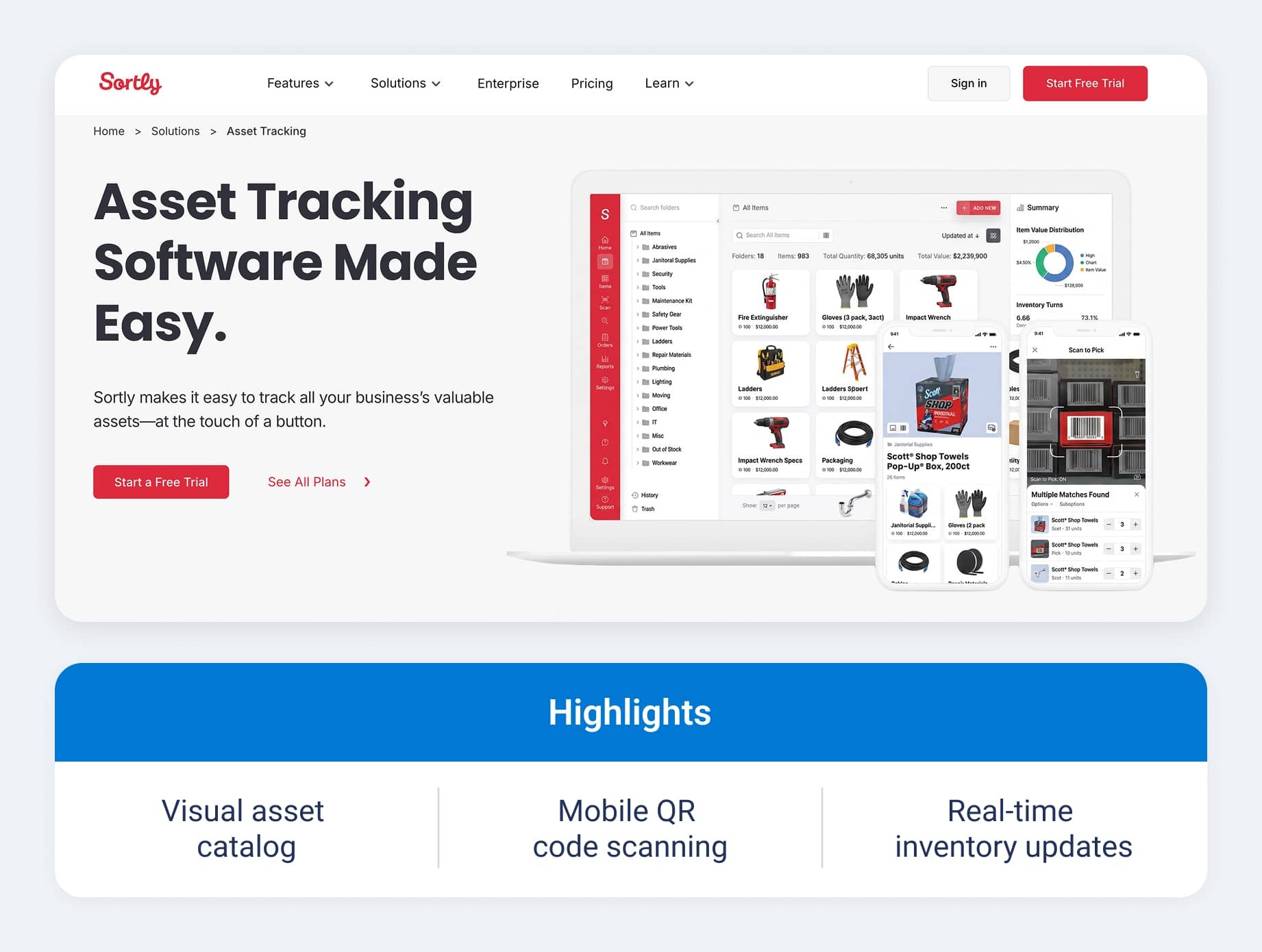
Sortly offers a variety of key features:
- Visual asset catalog: Sortly offers photo-based entries and folder organization to help teams identify equipment quickly. Each entry can include notes, custom fields and a photo history over time.
- Mobile barcode/QR scanning: Teams can use instant smartphone scanning that supports check-in, check-out and inventory updates without dedicated scanning software.
- Real-time activity sync: This helps smaller teams stay synchronized across the organization, offering automated alerts for low stock or unexpected movement.
How equipment tracking software works
Equipment tracking software relies on four types of technologies: GPS, QR codes, RFID and barcodes. Cost, accuracy and update frequency vary by method. Fleets may use different systems depending on the value, mobility and tracking requirements of each asset.
The software layer combines physical tags or GPS devices with mobile scanning apps and cloud dashboards. Field workers scan a tag, or a device transmits data, and that information flows into a central platform showing current status, location history and usage.
A typical equipment tracking workflow looks like this:
- Register the asset
- Assign a GPS device or tag
- Track location and usage
- Check equipment in and out
- Schedule maintenance
- Generate reports
Many organizations use multiple technologies within the same program, pairing active GPS on heavy machinery with low-cost QR codes on hand tools.
Equipment tracking software features to look for
Equipment tracking software provides a range of features for locating, monitoring and maintaining assets. The capabilities that matter most vary based on your asset types, fleet size and industry.
GPS location tracking
Active GPS sends frequent location updates and is generally better suited for high-value or mobile equipment. Passive GPS, on the other hand, records location data and uploads it periodically, which can work for assets that do not require continuous monitoring.
Mobile app usability
Mobile access matters most for field crews checking equipment in and out from a job site. These capabilities vary when it comes to iOS and Android performance, offline caching, scan speed and interface simplicity.
QR code and RFID support
Supporting multiple tag formats lets an operation pair GPS on high-value machinery with QR codes on hand tools. Confirm if physical tags are included in the subscription or billed separately.
Maintenance and service scheduling
A strong maintenance module includes usage-based triggers, calendar reminders, service logs and work order assignment. Automated syncing of odometer and engine-hour data can reduce manual data entry and associated errors.
Multi-location and multi-user support
Contractors managing equipment across multiple job sites need software built for multiple locations and role-based access controls. For example, field workers may only need access to scanning and check-in/check-out functions, while managers may require administrative controls.
Reporting and custom dashboards
Reporting can provide visibility into asset utilization, service compliance, loss rates and location history. Scheduled email reports and automated exports also can make equipment data easier to share across teams.
Integrations
Essential integrations include accounting systems like QuickBooks or SAP, telematics platforms, ERPs and work order tools. These integrations eliminate double entry and keep records consistent.
Benefits of using equipment management tracking software
Modern equipment or asset management software programs use telematics to empower you with real-time insights and actionable data. They offer precise location tracking, including employee GPS tracking, to ensure timely deliveries and boost driver safety while automating data collection and analysis to inform smarter operational decisions.
Here are some more key benefits of using equipment inventory software to track your assets:
- Access real-time location tracking: Get immediate visibility into where every vehicle and piece of equipment is at any given moment, ensuring on-time deliveries and enhanced driver safety. Real-time data helps you quickly adjust and optimize routes and respond to unexpected changes.
- Automate data collection and analysis: Automatically gather detailed information on routes, vehicle performance and asset utilization without manual entry. This continuous data stream empowers you to identify trends and make smarter operational decisions.
- Mitigate risk and lower costs: Rapid alerts on unauthorized movements and potential thefts enhance risk management and facilitate quick asset recovery. Also, data-driven asset tracking helps lower insurance premiums and reduce overall operating costs.
- Inform preventative maintenance planning: Leverage precise usage and performance data to schedule maintenance based on actual asset conditions rather than fixed intervals. This proactive approach minimizes unexpected breakdowns and extends asset life.
- Improve efficiency: Optimize resource allocation by reducing downtime and unnecessary idling, ensuring your assets are used effectively. Better fuel management and time utilization contribute to increased overall productivity.
How to choose the right equipment tracking software
Choosing the right equipment tracking software means selecting a solution that fits your operational needs while seamlessly integrating with your existing systems.
To make an informed decision, consider core functionality, integration capabilities, scalability, reporting depth, usability, security and customer support. Below are more details on what to look for.
Define your asset types first
Categorize assets by mobility and value, separating heavy machinery that needs active GPS from hand tools that need only QR code tags. For construction fleets, GPS tracking for construction equipment needs to account for machinery that moves between sites, similar to off-road equipment operations.
Construction equipment tracking software may also need durable hardware designed to withstand dust, vibration and impacts on job sites.
Match features to your biggest operational pain point
Identify the core drivers behind the search:
- Loss prevention
- Maintenance breakdowns
- Utilization gaps
- Safety compliance
Review maintenance records, asset utilization data, incident reports and feedback from field teams to identify the programs that occur most often or have the greatest financial impact. Based on that information, prioritize the features that directly address these issues. That keeps you from paying for enterprise features your fleet does not need.
Evaluate total cost of ownership
Total cost extends beyond the subscription to include GPS devices, tag labels, scanner hardware and training. Reviewing fleet management software cost beyond the best asset tracking device modules alone helps compare bundled hardware vendors against those with separate device fees.
Check integration compatibility
Disconnected software creates data silos, so confirm native API connectivity before signing. Ask vendors for integration documentation covering existing ERP and telematics systems.
Test usability with field workers, not just managers
Software ROI depends on adoption by the people using it in the field, not how it looks in a demo. Consider a pilot with job-site workers before a company-wide rollout to identify usability problems early.
Choose the right equipment tracking software for your fleet
Effective asset tracking is essential for measuring and maximizing fleet productivity and ensuring every asset is secure and operating at its best. The right tracking tools save the day by streamlining operations, reducing downtime and providing real-time insights that empower proactive decision-making.
No matter if the operation needs enterprise-grade telematics for a mixed fleet or a simpler QR code system, choosing equipment tracking software that fits current needs and can scale is key. Geotab's asset tracking solutions connect GPS-based equipment tracking to the same platform as vehicle telematics, supporting asset fleet management from one place.
Subscribe to get industry tips and insights
Frequently Asked Questions
The best approach is to use a telematics solution that combines GPS vehicle tracking devices with an integrated asset management platform, providing real-time location and performance insights.
The best equipment tracking software system is durable, easy to integrate and offers precise data capture, ensuring seamless compatibility with heavy equipment management and construction equipment software.
The difference between GPS, QR codes and RFID for asset tracking is:
- GPS: Active real-time location tracking for high-value vehicles and heavy machinery, with a higher hardware cost.
- QR codes: Manual smartphone scanning for hand tools and low-value equipment, with minimal cost and no continuous GPS signal.
- RFID: Automated scanning at fixed checkpoints or reader zones for high-volume warehouses, with mid-range cost and high scanning speed.
Comprehensive platforms often support all three tag types, letting fleets match the method to each asset category.
Yes, equipment tracking software can be worth it for small fleets. Many smaller fleets start with spreadsheets, but the tipping point arrives once lost tools or emergency repairs outpace what equipment maintenance tracking software would have cost. Entry-level plans and free trials make it easier to test a platform first.
Pricing for equipment tracking software typically falls into tiers: QR code apps are often the cheapest, mid-tier GPS and maintenance suites generally run in the low hundreds per month and enterprise telematics is usually billed per asset per month, with hardware tag costs often billed separately.
Yes, most equipment tracking software can integrate with existing fleet management systems. Most leading platforms offer native integrations or REST APIs connecting to existing ERP, accounting and fleet maintenance systems. Confirm compatibility before signing to avoid data silos.
The industries that mainly use equipment tracking software are construction, transportation, utilities, government fleets, facilities management and healthcare event production relying on AV equipment tracking software. Though any business managing distributed physical assets can benefit.
Geotab team
Table of Contents
- Best equipment tracking software and devices for fleets
- How equipment tracking software works
- Equipment tracking software features to look for
- Benefits of using equipment management tracking software
- How to choose the right equipment tracking software
- Choose the right equipment tracking software for your fleet
Subscribe to get industry tips and insights
Related posts
Five data-driven strategies to optimize your utility fleet management
August 17, 2026
4 minute read
The architecture gap behind Europe's vehicle theft crisis
August 14, 2026
2 minute read
Beyond location: How asset trackers measure equipment utilization
August 4, 2026
3 minute read
Closing blind spots in cargo security with a 360 fleet camera system
July 22, 2026
3 minute read
The safest mile in field service is the one nobody drives
July 22, 2026
2 minute read