Construction fleet management software: What mixed fleets should look for
Most construction fleets include on-road vehicles and off-highway equipment. Learn what to look for in construction fleet management software that covers both.

By Samin Salam
Aug 11, 2026
Key Insights
- If your construction fleet includes telehandlers, excavators, booms or other off-highway assets, you're probably missing essential operational data.
- Engine hours can lead to an approximate 90% margin of error for certain off-highway equipment productivity. Machine-specific data (load cycles, boom position, duty cycles) is the only reliable measure.
- A platform that covers both on-road vehicles and off-highway equipment eliminates manual data reconciliation, enables idle equipment redeployment and helps reduce unplanned downtime.
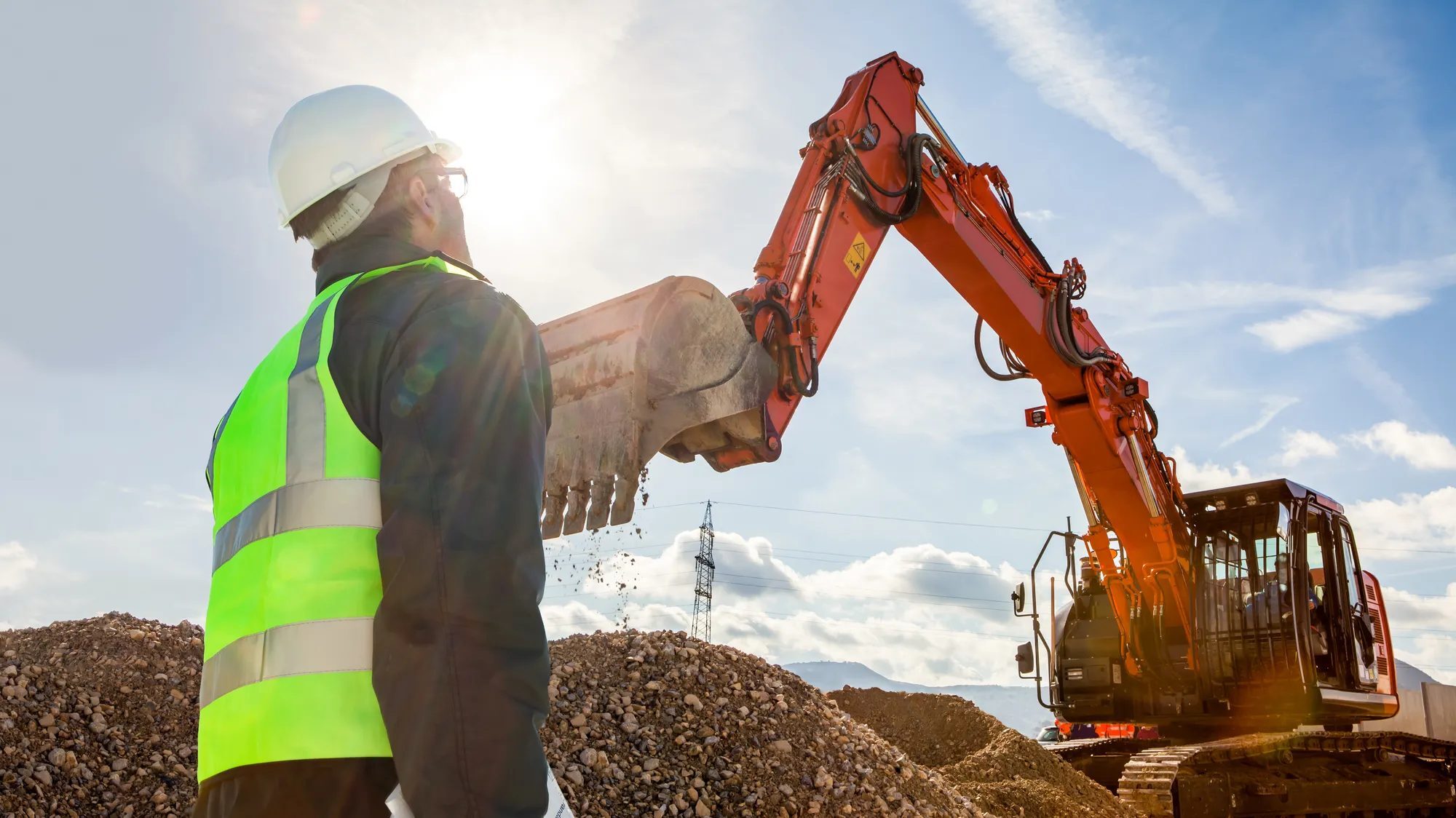
You're managing service trucks and pickup trucks alongside aerial equipment, excavators, telehandlers and trailers. While a growing number of platforms now claim to handle mixed fleets, many were built for the road first and still apply on-road logic to the equipment on your jobsite.
Most telematics platforms track GPS location, log engine hours, flag hard braking and alert you when a vehicle needs an oil change. For on-road vehicles, that's genuinely useful. But if 80% of the assets on your jobsite are off-highway equipment, software built around on-road logic is leaving most of your fleet unaccounted for. That means you end up making equipment decisions without the proper data to support them.
The off-highway blind spot
The platform that works for your trucks is applying the same logic to your telehandlers and showing you an incomplete picture.
Engine hours aren't the same as productivity
A telehandler might log six engine hours in a day. But without machine-specific data (fork load, boom position, material movement), you can't tell whether the machine is doing productive work or sitting idle between tasks. Platforms that measure only powertrain activity treat both the same. Geotab's research puts the margin of error for scissor lift productivity at approximately 90% when measured by engine hours alone. The machine registers as active whether it's sitting idle or someone is performing work at height.
OEM data requires interpretation
The productivity gap is about what gets measured, but the OEM data problem is about whether the data can be read at all. An industry standard, ISO 15143-3 (also known as AEMP 2.0), tries to normalize a common set of fields across manufacturers, and capable platforms like Geotab already ingest it. That standard only goes so far, though. It carries a limited set of shared fields, leaves some definitions up to each manufacturer, and often doesn't cover equipment like aerial lifts and cranes at all. When a platform can show only the limited standardized fields and applies on-road assumptions to everything else, the resulting reports come out incomplete, missing or misreading the data that matters most for your off-highway equipment.
Machine fault codes get lost in translation
Most OEM fault codes use custom formats. A generic fleet platform that doesn't decode them at ingestion strips them to a generic warning or drops them entirely. The signal that could have triggered a timely repair disappears before it reaches the maintenance team, and a breakdown delays your project timeline.
Two systems, one hidden cost
Two platforms means two versions of the truth. You can't make a reliable decision from fragmented data. It doesn't show up on a budget line. It shows up in delayed calls, missed signals and equipment sitting idle on the wrong site. Mixed-fleet management works when all your assets — road and jobsite — report through one source of truth.
What to look for in construction fleet management software
Fleet management means something different on the road than it does on the jobsite. Not all construction fleet tracking software is built for both. Ask these six questions to identify the ones that are.
Does it cover on-road and off-highway assets in the same platform?
This is the threshold question. If on-road vehicles and off-road assets require separate systems or manual data exports to compare, the gap will show up in every report you produce. Look for a platform that gives you a unified view of all asset types: on-road vehicles and off-highway equipment in one place, not separate tools. When a service truck and an excavator are both correctly shown on the same map, a manager can see in real time which truck is closest to the down machine. Ask to see a live demo that includes both vehicle and equipment data together.
Does it ingest OEM data?
Some OEMs have proprietary telematics data formats that live independently in their own platform. A platform that ingests and standardizes OEM data gives you a more complete picture of each machine. One that relies solely on aftermarket device signals doesn't. Ask specifically: which OEM integrations are supported and what data fields are captured? Without OEM integration, construction asset tracking defaults to GPS position and engine hours — useful for trucks, not telehandlers.
Does it go beyond engine hours?
Engine hours tell you when a machine was running. They don't tell you whether it was working. For a fleet of a few trucks and a couple of pieces of equipment, that distinction might be acceptable. You know your machines; you can fill in the gaps. But when there are dozens of asset types spread across multiple jobsites, you don't want to approximate utilization, you want to measure it.
Ask how the platform measures productivity for specific machine types. Telehandlers, scissor lifts and excavators each define productive work differently. Good construction equipment management software applies distinct logic to each machine type, not a single on-road metric stretched to cover all of them. A platform that applies one utilization metric across all assets is only approximating productivity. Ask how many distinct machine types the platform has built specific productivity logic for. Platforms that have done this at scale, across 100 or more asset types, are built for the variability of a real construction fleet.
Does it work in low-connectivity and rugged environments?
Jobsites in remote locations don't always have reliable cellular coverage. If your platform goes dark when equipment goes off-network, you're missing data during the hours when assets are hardest to account for. Look for devices that store and sync data when connectivity is restored, or that support satellite connectivity for the most remote operations. Also consider whether the hardware itself is rated for jobsite conditions like vibration, dust and temperature extremes that would degrade a standard on-road fleet device.
Does it connect to your other construction software?
Fleet data is more useful when it flows into the tools your project managers, accountants and site supervisors already use. Look for a platform that integrates with construction management systems like Procore or Viewpoint, and with ERP software for job costing and asset depreciation. Geotab's open Marketplace gives construction fleets a catalogue of pre-built integrations without custom middleware.
What a unified platform actually changes
When fleet managers can see on-road vehicles and off-highway equipment in one view, these common operational situations that typically require manual coordination resolve on their own.
Your nearest service truck can reach the right machine
When a machine goes down mid-shift, a dispatcher has to identify the fault, then find the nearest service vehicle. With equipment data in one system and vehicle fleet data in another, that sequence requires two logins, two maps and a call to bridge the gap. When both asset types share a platform, it's one screen: the fault code surfaces alongside the closest service truck's GPS position.
On a large project carrying liquidated damages that can reach thousands of dollars per day, the difference between a 40-minute response and a three-hour one delays the project timeline and inflates the invoice.
You know what gear's on site before the crew shows up
Before a project day starts, someone on your team is answering the same question: is everything where it needs to be? With separate systems, that means checking two or more places and maybe calling the foreman on top of it. When both asset types are in the same platform, the answer is on one screen: the telehandler is on site, the pump is running, the ready-mix trucks are 15 minutes out. For a crew mobilizing at 7:00 a.m. with a concrete pour scheduled at 8:00, that's the difference between a morning that starts on time and one that starts behind.
You save time identifying and diagnosing telematics devices
Checking which devices are damaged or not reporting is ongoing maintenance work for any operations team running a connected fleet. When assets are connected via separate platforms, operations teams have to cross-reference multiple systems with different standards for “healthy” devices.
When telematics devices are reporting on a unified platform, it becomes much easier to ensure all your devices are healthy and reporting accurate data at the right frequency. Your crews identify faulty devices and connections promptly and can focus on the job, instead of wasting time investigating across systems.
Closing the trust gap
Geotab Build covers on-road vehicles and off-highway equipment in one platform. It applies machine-specific logic across more than 100 asset types and standardizes OEM data at collection so fault codes reach the right people, utilization reflects what machines are actually doing and idle equipment is visible before a project manager places a rental call.
To learn more about how to close the data trust gap and successfully integrate mixed-fleet data for decision-grade insights, download our ebook, The hidden cost of inferred off-road utilization.
Subscribe to get industry tips and insights
Frequently Asked Questions
Construction fleet management software tracks location, monitors idle times, manages heavy equipment usage hours and automates preventive maintenance. It covers vehicles and equipment alike, with more advanced platforms handling driver behavior scoring, compliance reporting and, for mixed fleets, off-road construction asset tracking.
Fleet management software is generally built around on-road vehicles: trucks, vans and service vehicles that follow predictable routes and connect to cellular networks. Construction equipment management software is designed for off-highway machines: telehandlers, aerial equipment, skid steers and other compact equipment. It relies on equipment tracking to monitor machine hours, maintenance intervals and jobsite utilization. Most contractors need both. That's why the market is moving toward platforms that unify on-road and off-highway data.
Good fleet management software for construction gives you a single, accurate view of every asset — trucks, telehandlers, excavators and anything in between — without manual data exports or reconciliation. That unified view reduces unplanned downtime by routing machine fault codes to maintenance before they cause a breakdown, exposes idle equipment for redeployment before you order more and grounds capital allocation decisions in actual utilization data rather than engine hours alone. Platforms built specifically for mixed fleets deliver all of this in one place. Platforms adapted from on-road software usually don't.
Senior Product Manager
Table of Contents
Subscribe to get industry tips and insights
Related posts

Unlocking more jobs per day: How smart dispatch management improves tech performance
October 13, 2026
3 minute read
Top seven best fleet fuel cards: How to choose the right one for your business?
October 1, 2026
7 minute read

Fleet maintenance software for small business: 8 top tools and guide
September 29, 2026
7 minute read
Four ways to transform garbage fleet efficiency with data and video tools
September 28, 2026
4 minute read