10 best fleet dispatch software of 2026 to boost efficiency and cut costs
In this guide, compare the best fleet dispatch software and learn how the right platform improves routing, visibility and performance. Check out our top picks

By Geotab Team
Jul 16, 2026
Key Insights
- The best fleet dispatch software helps fleets improve visibility and reduce manual coordination across daily operations.
- Dispatch platforms differ in focus, from route optimization and telematics to load management, workforce coordination and delivery execution.
- Fleets with more complex needs benefit from tools that connect dispatch with reporting and financial workflows.
- The right solution should match fleet size and long-term growth plans without adding unnecessary overhead.
Keeping vehicles and drivers aligned throughout the day can be challenging, especially when plans change or unexpected delays occur. The best fleet dispatch software helps solve these issues by giving teams a single system to assign work, guide drivers, update schedules and monitor progress in real time.
At its core, dispatch software helps fleets move from manual coordination to a more predictable, efficient workflow that supports both on-time performance and cost control.
In this guide, we break down the top fleet dispatching tools available in 2026, what each one offers and the types of fleets they are best suited for. You will learn how these platforms improve routing and visibility, along with the features and selection criteria that matter most when choosing a solution for your operation.
10 best fleet dispatch software overview
This truck dispatch software overview highlights what each platform does best, where it may fall short and which fleet it fits. Use the table below to quickly compare core capabilities side by side before diving into the full tool breakdowns.
1. Geotab
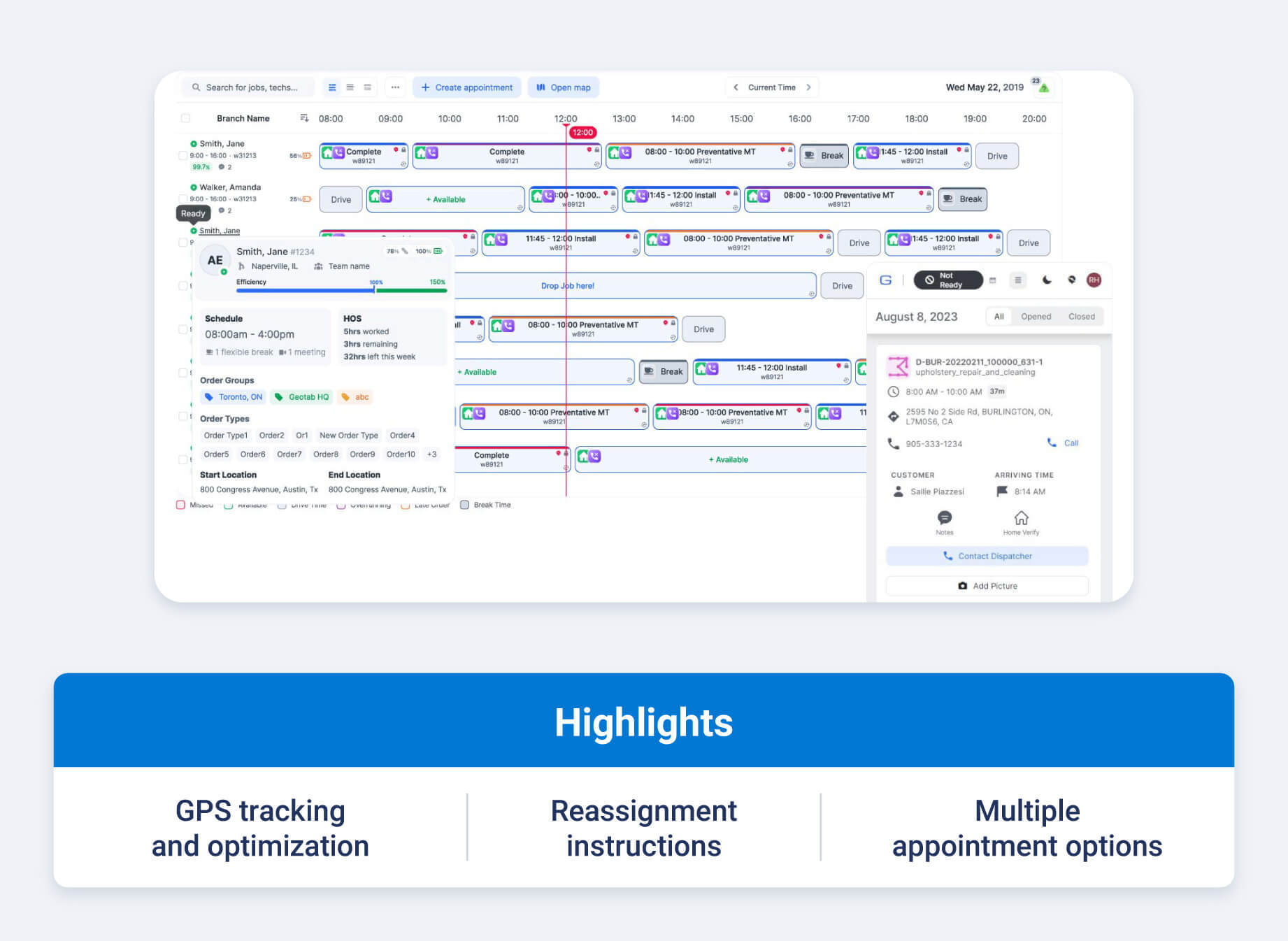
Geotab's fleet dispatch software helps fleets plan, adjust and optimize routes with confidence, even when routes are not fixed. Built on Geotab's telematics platform, it combines live asset tracking solutions, location intelligence and data-driven optimization to help dispatchers get the right resources to the right place at the right time and cost.
With tools like routing and optimization and MyGeotab ™ dispatch, fleets can reduce route overlap, respond to day-of changes and improve service reliability.
In real-world use, customers like Ferrovial Servicios reduced the number of required routes by 66%, while Dipsea Group cut fuel consumption by 20%. For fleets focused on efficiency, safety and scalability, Geotab supports both day-of dispatching and longer-term planning using economic optimization and operational data.
Key features
- GPS tracking and optimization: Geotab provides visibility into vehicle locations so dispatchers can plan efficient routes and adjust them as conditions change. Optimization tools account for distance, timing and operational constraints to reduce miles driven and fuel use.
- Optimized reassignment instructions: When jobs change or delays occur, dispatchers can quickly reroute vehicles or reassign work based on live data. This helps fleets respond faster without relying on manual calls or guesswork.
- Multiple appointment options: Geotab supports flexible appointment planning, allowing dispatchers to evaluate different scheduling scenarios. This makes it easier to balance workload and adapt to customer changes.
- Cost and time efficiency analysis: Routing and optimization factor in economic considerations like fuel costs and operational efficiency. Fleets can make smarter dispatch decisions that support profitability and service goals.
2. Truckbase
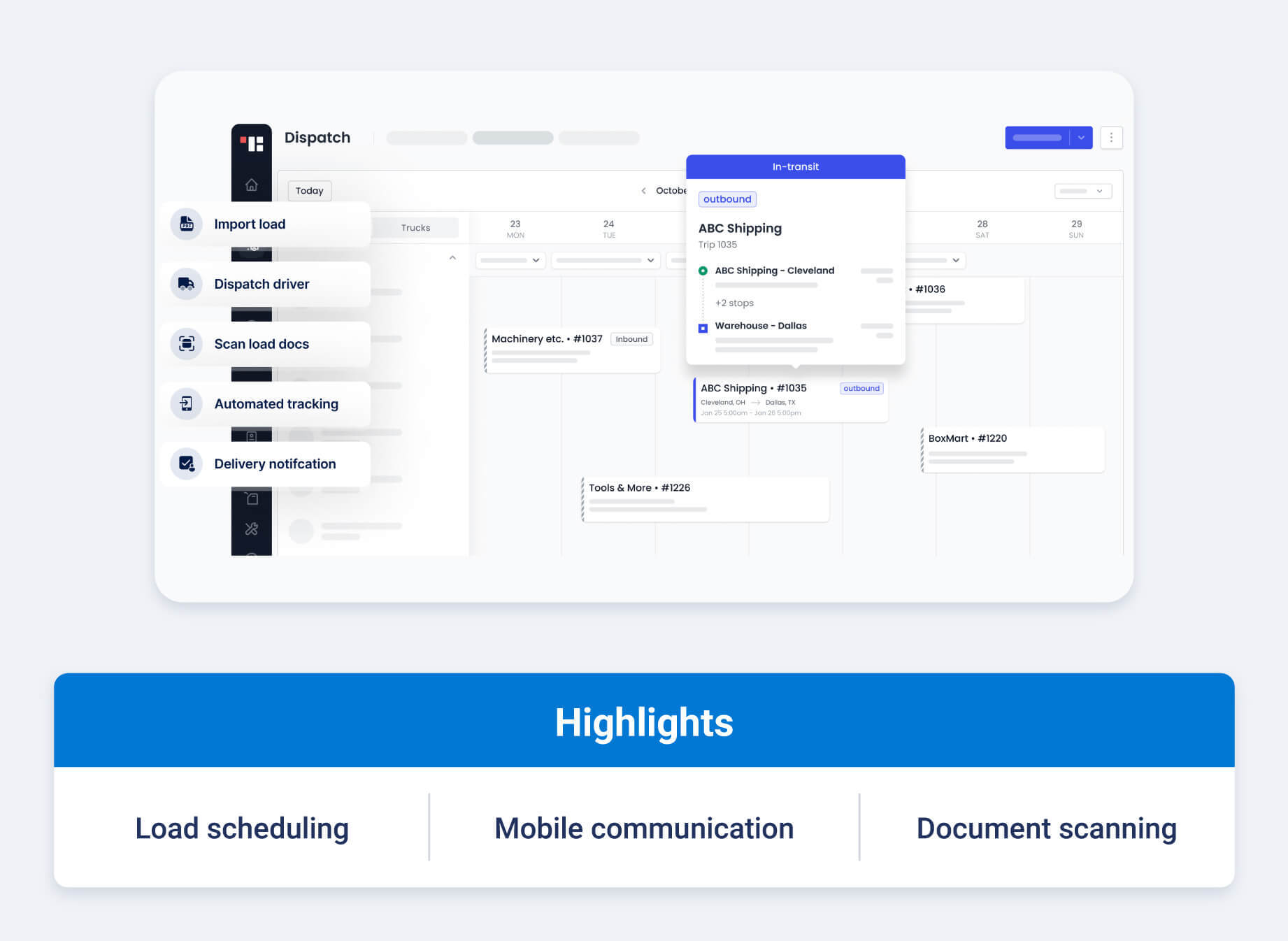
Truckbase is a truck dispatch software solution designed for small to mid-sized carriers that want a dispatch-centric TMS software with a strong mobile experience. The platform focuses on simplifying load scheduling, communication and document handling so dispatchers and drivers can work from a shared system instead of juggling multiple tools.
With features like AI-powered load imports, a single-screen dispatch calendar and a text-based driver app, Truckbase supports day-to-day dispatching without heavy setup or complex workflows. Its approach centers on reducing manual data entry, keeping load information accessible on the road and maintaining clear communication between teams.
Key features
- AI-powered load building and dispatch: Truckbase leverages AI-powered fleet management and a PDF importer to automate load creation from rate confirmations — reducing manual data entry and accelerating dispatch workflows.
- Centralized dispatch calendar: Dispatchers can view driver availability and load schedules in one calendar-based interface, helping prevent conflicts and missed loads.
- Mobile-friendly driver app: Drivers can view assigned loads, route information and updates in a text-based mobile fleet management app designed for quick access while on the move.
- Integrated document scanning and sharing: Drivers can scan and upload bills of lading directly from the mobile app, while dispatchers can send updates and documents to brokers by email from within the platform.
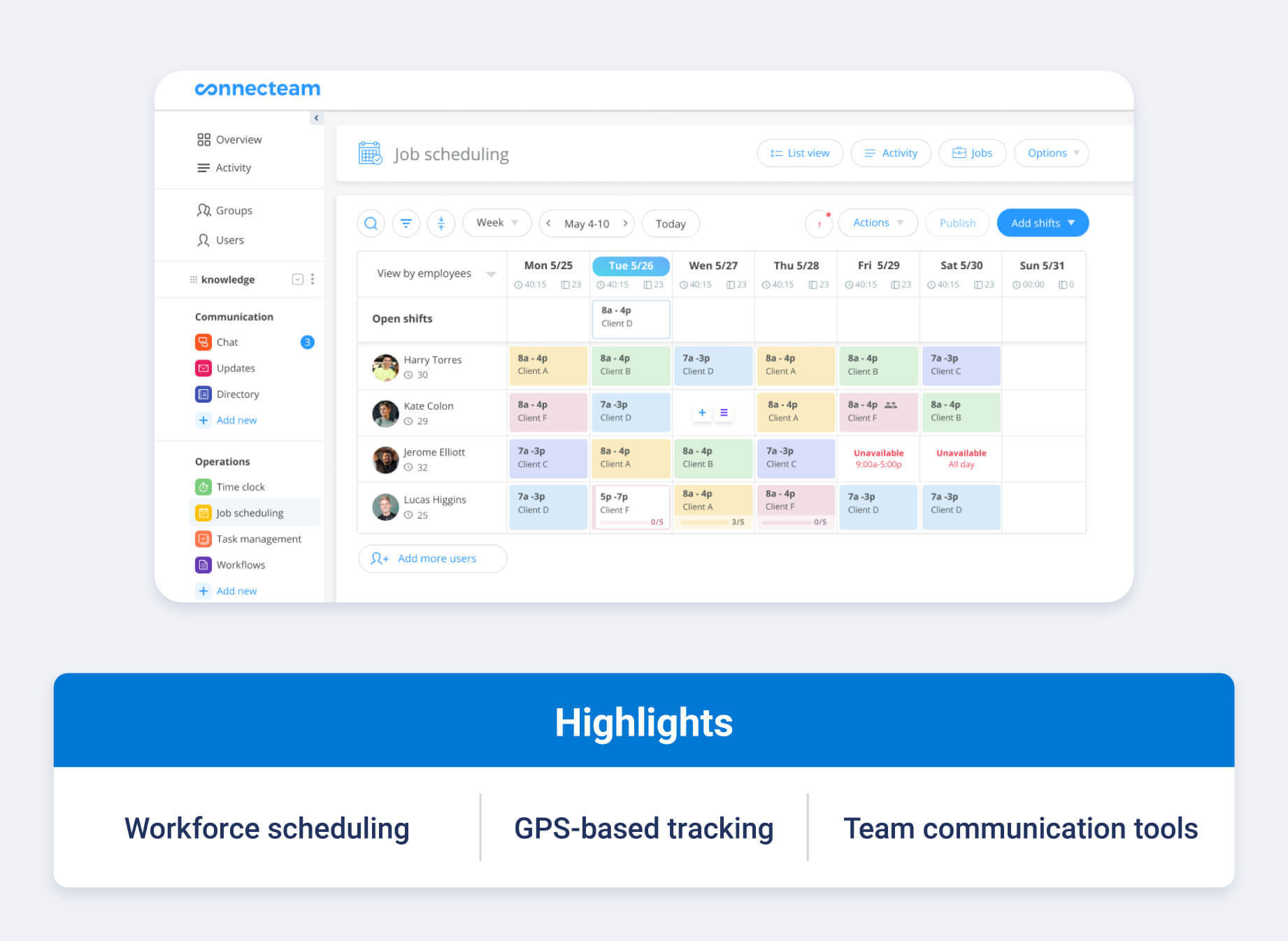
3. Connecteam
Connecteam is a workforce operations platform that can support truck dispatch management software needs for fleets that want scheduling and time tracking in one system. Rather than focusing solely on routing, the platform helps managers coordinate drivers, assign work and monitor activity through mobile-first tools designed for distributed teams.
For fleets that prioritize driver scheduling, visibility into work hours and instant communication, Connecteam offers a flexible way to manage daily dispatching alongside broader workforce tasks. Its GPS tracking devices, digital shift notes and in-app messaging help keep drivers and managers aligned without relying on multiple systems.
Key features
- Workforce scheduling with live updates: Managers can build and adjust schedules using drag-and-drop tools and recurring templates, with live updates reflecting status changes and employee messages.
- GPS time, location and mileage tracking: Mobile clock-ins with geofencing provide accurate visibility into hours worked, locations and mileage — helping reduce errors in timesheets and reporting.
- Digital shift notes and job reporting: Teams can attach job details and completion notes to each shift, then receive instant notifications when work is finished, including location verification.
- Integrated communication and training tools: Connecteam combines push notifications, group chats and searchable employee directories with digital onboarding and training resources — supporting faster coordination and consistent processes.
4. Onfleet
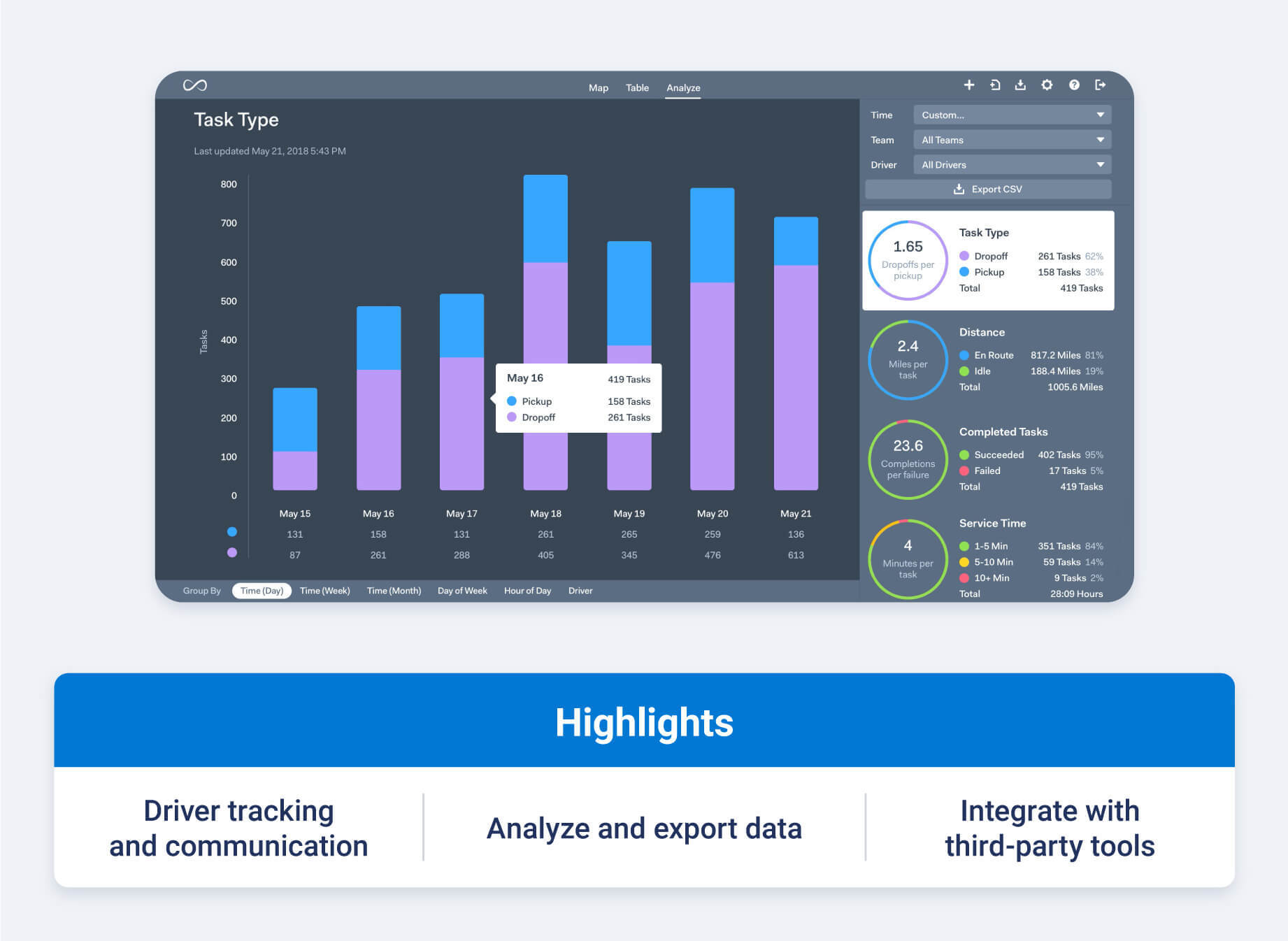
Onfleet is a delivery management platform that supports dispatch software for trucking companies and other delivery-focused operations. The software helps teams manage active deliveries and monitor driver activity, while also offering tools that improve customer communication and delivery visibility.
Often used by fleets with time-sensitive or last-mile delivery needs, Onfleet emphasizes ease of use and automation. Its routing, tracking and delivery confirmation capabilities help reduce manual dispatch work and give managers and customers clearer insight into delivery progress as operations scale.
Key features
- Route optimization and live dispatch updates: Onfleet includes a built-in routing engine that considers time windows and traffic to generate efficient routes. Dispatchers can re-optimize and push updates to drivers in real time as conditions change.
- Driver tracking and ETAs: Managers and customers can view live driver locations and accurate ETAs, supporting better visibility into delivery progress and potential delays.
- Proof of delivery and completion requirements: Onfleet supports digital proof of delivery through photo capture, signatures, barcodes and notes, helping fleets standardize delivery confirmation and reduce disputes.
- Fleet management reporting and data exports: The platform provides reporting on on-time performance, service times, distance traveled and feedback scores, with export options to support performance analysis and operational planning.
5. Trimble Transportation
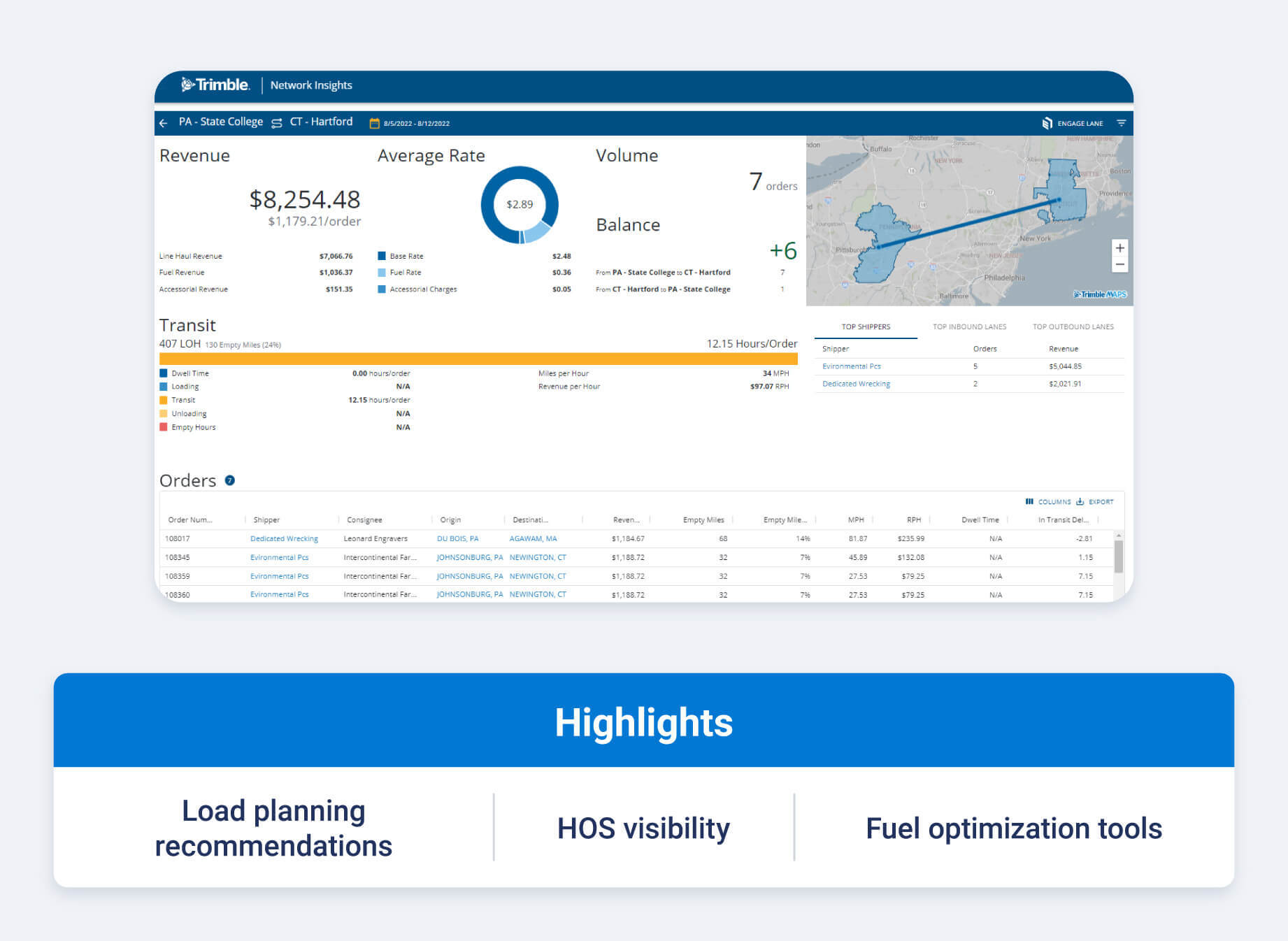
Trimble Transportation offers heavy equipment fleet dispatch software designed for fleets that need data-driven support for load planning and cost control.
Its dispatch-focused tools, including Dispatch Advisor, Trip Alert and Expert Fuel, help planners make more informed decisions by combining operational data with optimization and advisory insights.
Commonly used by larger or asset-intensive fleets, Trimble's approach emphasizes improving planner efficiency, reducing empty miles and managing costs across complex operations. By surfacing recommendations around load matching and hours of service (HOS), the platform supports more consistent dispatch decisions without adding unnecessary complexity to day-to-day workflows.
Key features
- Load planning and matching recommendations: Trimble Dispatch Advisor helps planners align drivers and equipment with available loads using advisory insights that support profitable and efficient assignments.
- HOS and ETA visibility for planners: Trip Alert surfaces hours of service and estimated arrival information within dispatch workflows, helping teams anticipate potential service issues before they impact deliveries.
- Fuel optimization insights: Expert Fuel provides route-based fuel purchase recommendations, supporting more cost-effective fueling decisions across long-haul and heavy-duty operations.
- Planner-focused decision support tools: Trimble's dispatch solutions are built to streamline planner workflows, reduce manual analysis and shorten training time through intuitive, recommendation-driven interfaces.
6. Tenna
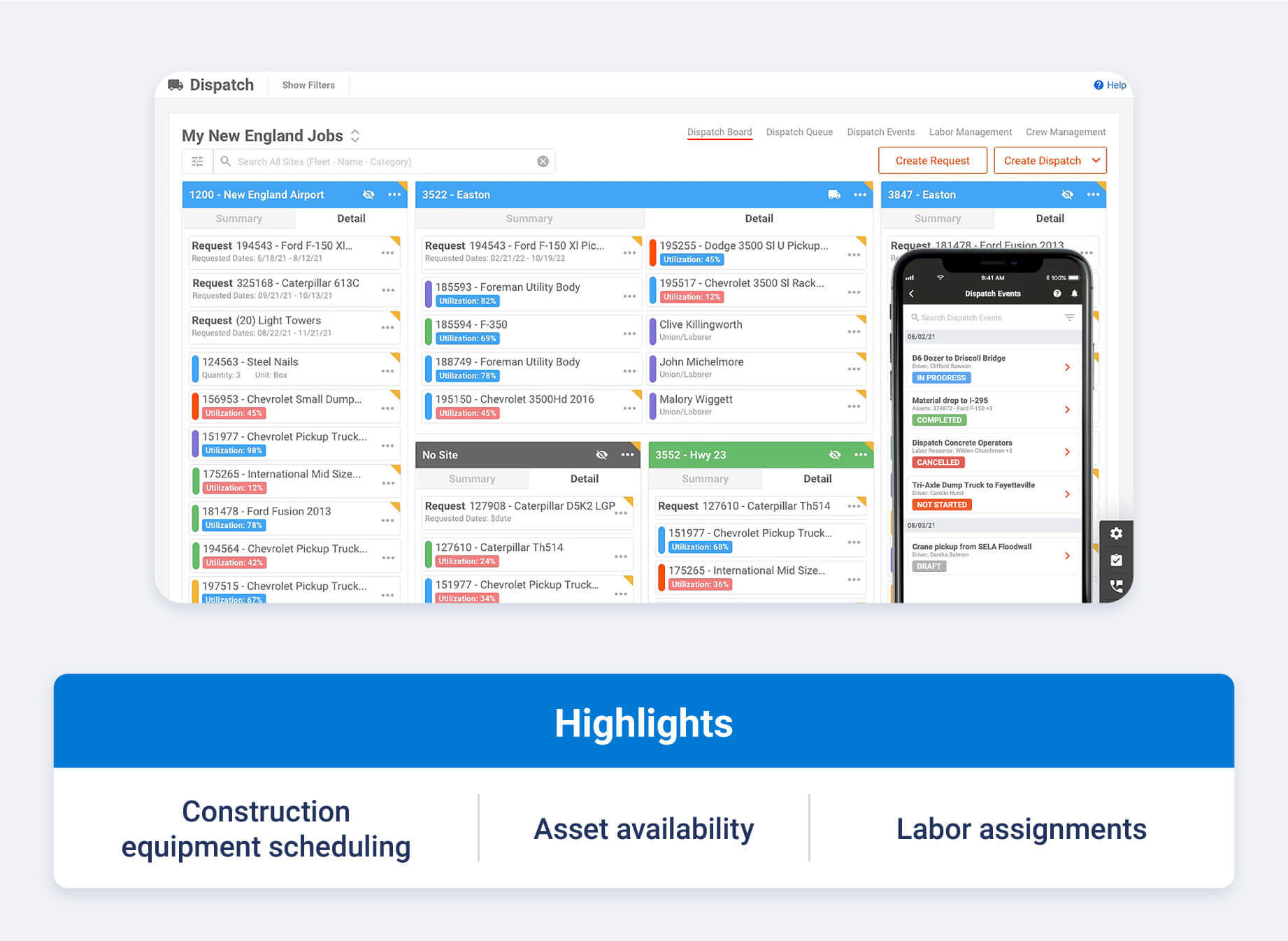
Tenna is a fleet manager dispatch software platform built for construction vehicles and equipment-intensive operations that need to coordinate people and materials across multiple jobsites.
Rather than focusing on vehicle routing alone, Tenna centers dispatch around equipment availability and jobsite demand using a shared digital workspace.
For contractors replacing informal calls and texts, Tenna helps standardize requests and updates so dispatchers and field teams stay aligned. Dispatch boards, equipment visibility and automated notifications support clearer handoffs, fewer scheduling conflicts and better documentation from request through completion.
Key features
- Digital resource requests from the field: Jobsite teams can submit standardized requests for equipment or labor through Tenna's app or desktop interface, creating a clear, timestamped record for dispatchers.
- Equipment- and labor-based dispatch board: Dispatchers can view available assets and crews in one place and create assignments using drag-and-drop tools, with filters by project, location or resource type.
- Automated assignment notifications: When dispatch plans change, Tenna sends updates to the relevant operators, drivers or requestors, helping reduce missed handoffs and miscommunication.
- Dispatch history and execution tracking: Completed assignments are logged automatically, giving teams a record of equipment moves, labor usage and dispatch outcomes for review and planning.
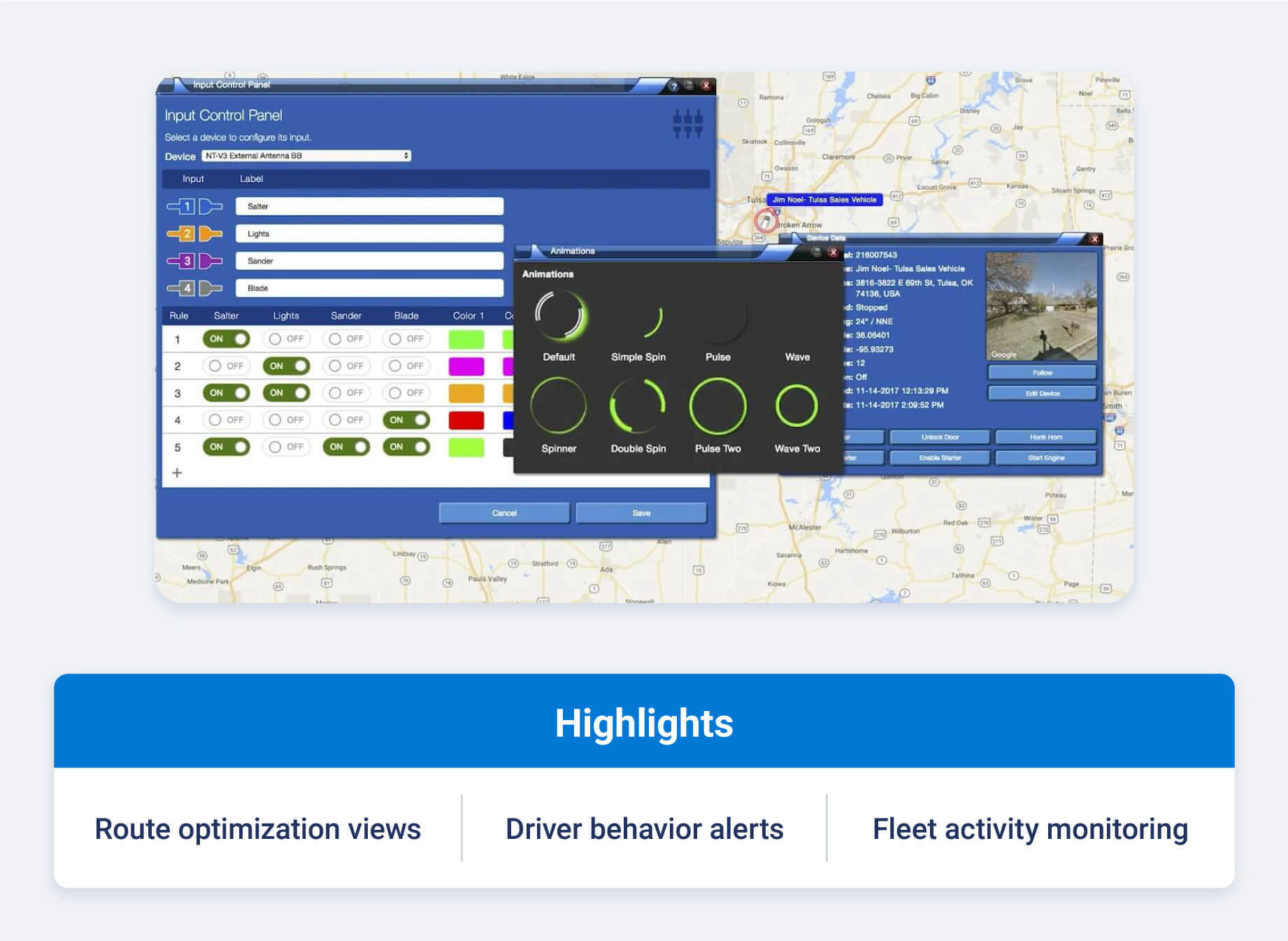
7. US Fleet Tracking
US Fleet Tracking offers a GPS-based platform that supports dispatch and route planning for fleets looking to improve efficiency and compliance. As a dispatch-enabled tracking solution, it helps managers coordinate jobs and make routing decisions using location, traffic and operating data in a single system.
For fleets focused on reducing fuel spend, minimizing idle time and improving driver accountability, US Fleet Tracking emphasizes visibility and alerting over complex optimization models.
Its dispatch-related tools are often used alongside compliance and safety monitoring to support day-to-day scheduling and operational oversight.
Key features
- Route optimization with traffic and weather context: US Fleet Tracking supports route planning that accounts for traffic patterns and weather conditions, helping dispatchers reduce delays and unnecessary idle time.
- Dispatch visibility tied to vehicle activity: Managers can view vehicle movement and job progress alongside dispatch schedules, making it easier to identify downtime and adjust assignments when needed.
- Driver behavior monitoring and alerts: The platform tracks events such as speeding, rapid acceleration and excessive idling, giving dispatchers and managers added context when evaluating routes and assignments.
- Compliance and operational reporting: US Fleet Tracking includes reporting tools that support HOS and ELD compliance while also surfacing insights related to productivity, mileage and vehicle utilization.
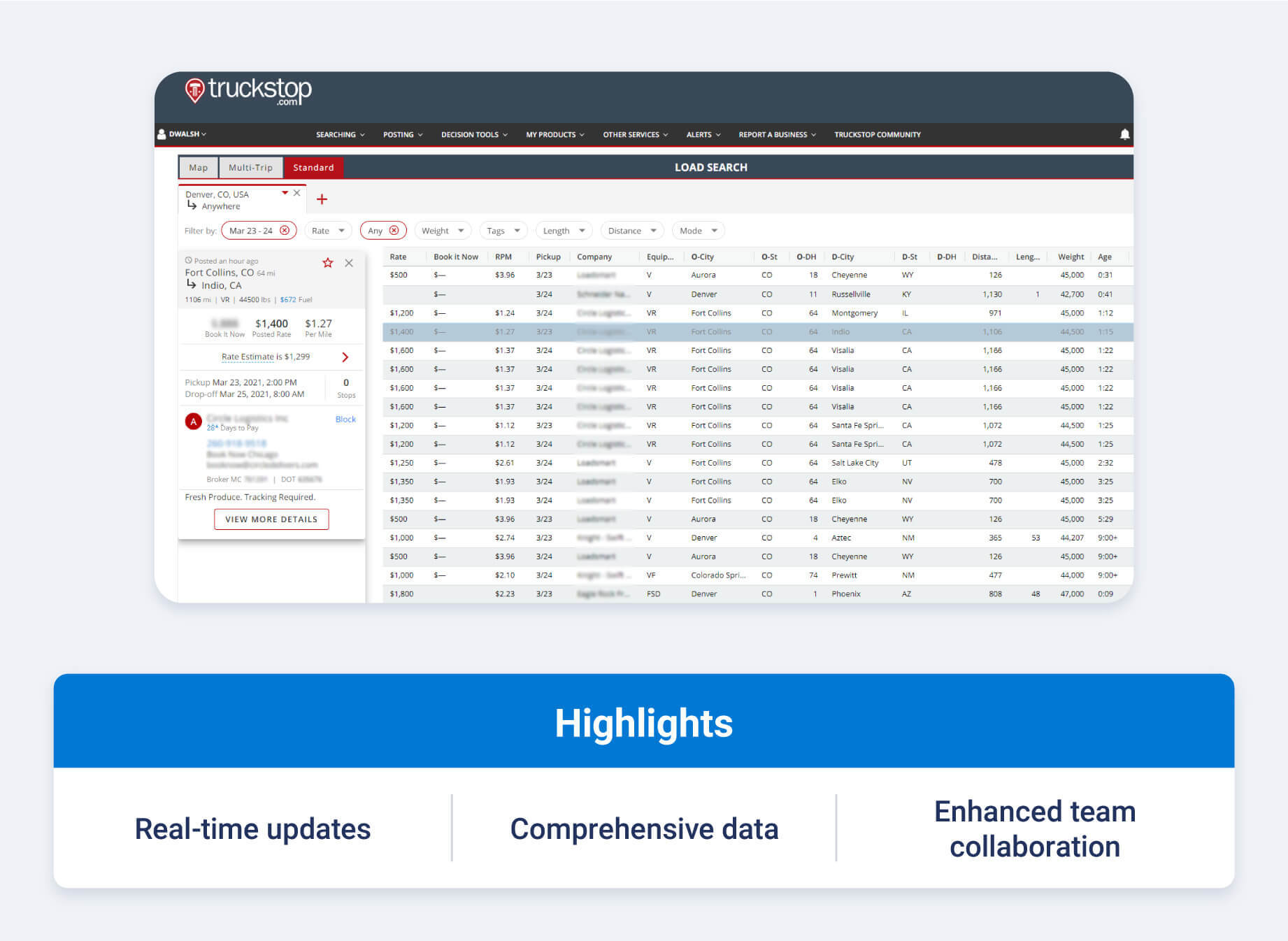
8. ITS Dispatch by Truckstop
ITS Dispatch by Truckstop is a transportation management system designed to support dispatch and back-office workflows in one platform. Used by carriers and brokers, it helps teams reduce administrative work tied to dispatching while keeping load details and reporting centralized.
Beyond day-to-day dispatch, ITS Dispatch emphasizes financial and compliance-related tasks that often sit alongside operations. Features like automated IFTA reporting, payroll support and accounting integrations make it easier for teams to manage dispatch decisions alongside taxes, settlements and performance tracking.
Key features
- Load management and dispatch workflows: ITS Dispatch allows teams to assign and manage loads digitally, helping reduce paperwork and keep dispatch information organized in one system.
- Automated IFTA reporting: The platform includes built-in IFTA reporting tools that help fleets track fuel tax data and stay organized during quarterly filing periods.
- Driver settlements and payroll support: ITS Dispatch supports driver pay calculations and settlement tracking, helping streamline compensation processes tied to dispatched loads.
- Reporting, analytics and accounting integrations: Users can generate operational and financial reports and connect ITS Dispatch with accounting software to support billing and performance analysis.
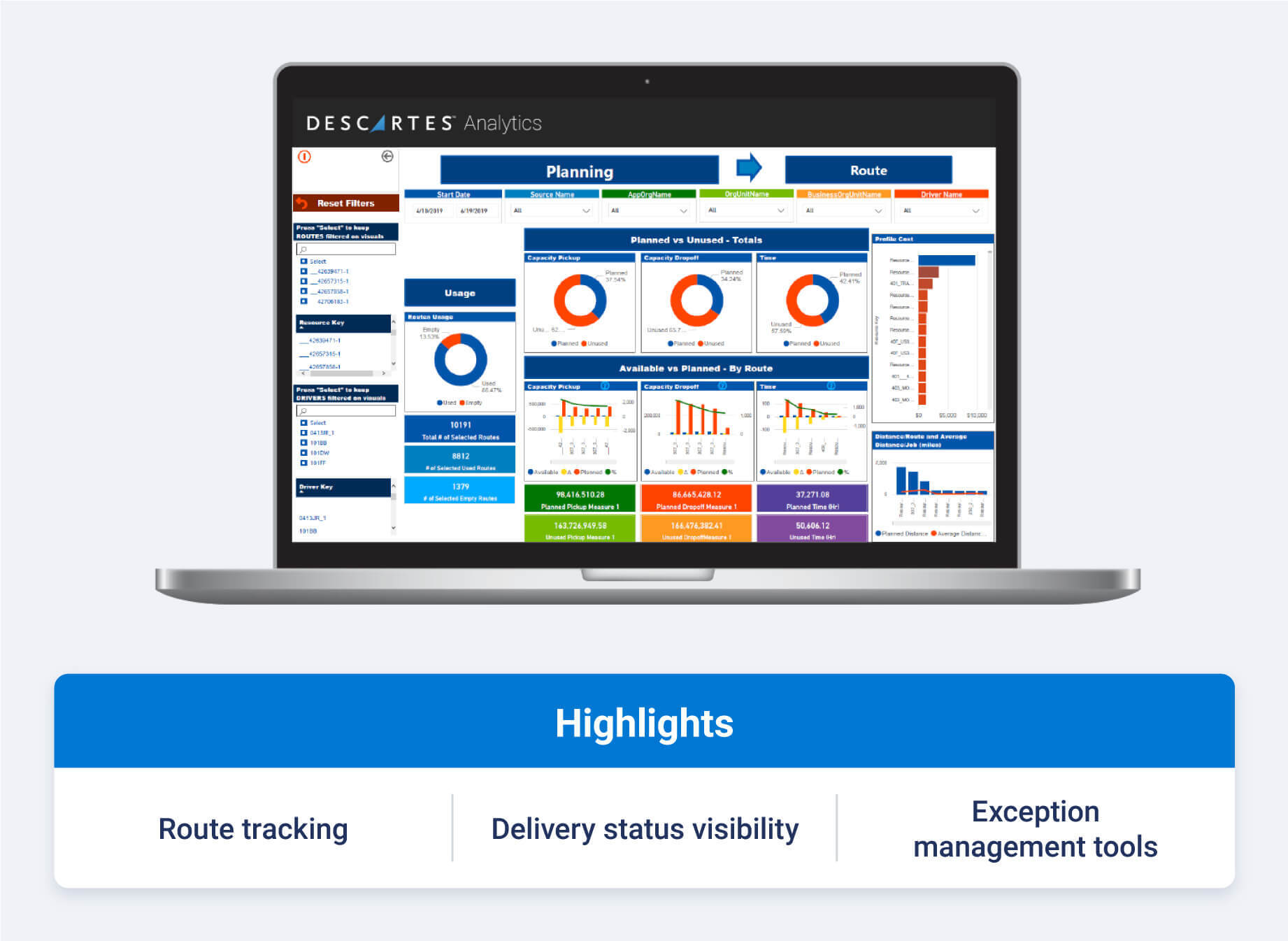
9. Descartes
Descartes offers dispatch and tracking software designed for fleets that manage dynamic delivery schedules and frequently changing orders. The platform focuses on helping dispatchers monitor driver progress, adjust plans when conditions change and support more consistent on-time performance across daily operations.
Often used by fleets handling same-day or appointment-based deliveries, Descartes emphasizes exception management and schedule flexibility.
By combining location data with delivery status updates, the software helps teams respond to delays, accommodate last-minute bookings and keep routes aligned with customer commitments as the day unfolds.
Key features
- Intelligent dispatch scheduling: Descartes supports automated dispatch schedules that account for delivery windows, service times and operational constraints, helping teams plan and adjust routes more efficiently.
- Route exception and change management: Dispatchers can identify changes or missed appointments and update routes accordingly to keep deliveries on track.
- Same-day appointment handling: The platform allows teams to add and manage same-day delivery appointments within existing dispatch schedules, supporting flexible service models.
- Delivery status tracking and reporting: Descartes provides visibility into delivery progress and on-time performance, with reporting tools that help teams evaluate service consistency and operational trends.
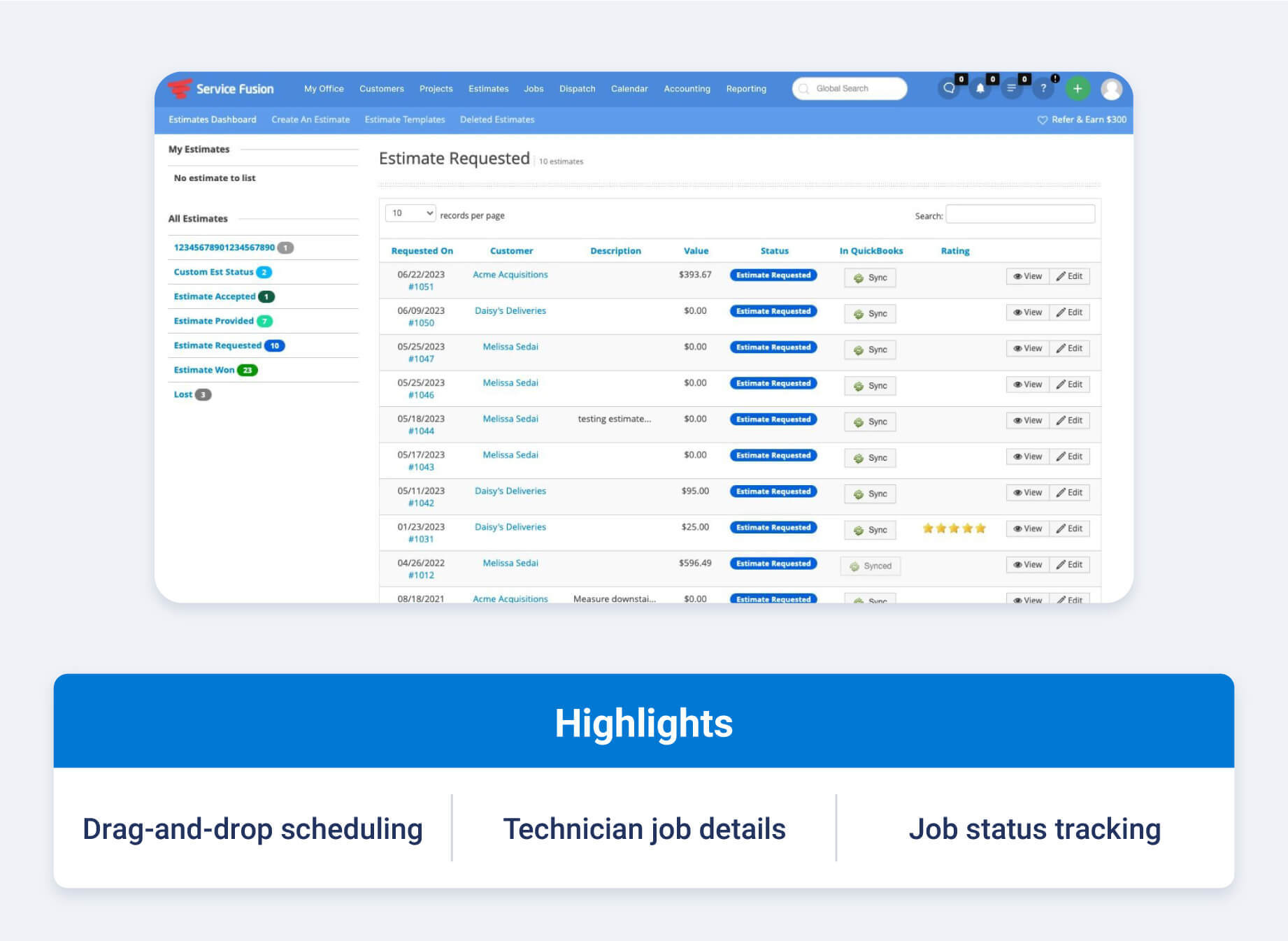
10. Service Fusion
Service Fusion is a field service management platform that supports dispatch and scheduling for service-based fleets and mobile teams. The software streamlines job tracking, enabling dispatchers to coordinate technicians effectively while keeping job details readily accessible in one system.
Often used by field service organizations, Service Fusion emphasizes ease of scheduling, technician communication and job status visibility.
Its tools support day-to-day dispatching alongside customer reminders and in-app workflows, making it easier for teams to manage service calls and respond to schedule changes without relying on manual follow-ups.
Key features
- Drag-and-drop scheduling tools: Service Fusion allows dispatchers to build daily schedules quickly by dragging jobs or tasks onto technician calendars.
- Job creation and work order management: Teams can generate work orders in a single step and assign them directly to technicians, keeping service details organized and accessible.
- Automated technician and customer notifications: The platform sends job details to technicians' mobile devices and reminders to customers, helping reduce missed appointments and delays.
- Technician status and location visibility: Dispatchers can view technician status and locations within the platform and communicate updates through in-app messaging and notifications.
Benefits of fleet dispatch software
Fleet dispatch software brings everyday operations into one place so teams can work with clearer information and fewer manual steps.
It supports faster decisions, smoother job assignments, and more predictable fleet performance — all of which help reduce downtime and fleet costs.
Improve route and fuel efficiency
A strong dispatching system makes routing more precise. Instead of relying on static routes, fleets can adjust based on current conditions and planned stops.
Vehicles spend less time idling or taking indirect paths, which leads to increased fuel efficiency and more consistent arrival times.
Increase driver productivity and satisfaction
Drivers do better when they know exactly what's expected at every point in their shift. Dispatch software sends them updated instructions without the back-and-forth or uncertainty that slows down the day.
This clarity helps them stay focused, complete jobs more smoothly, and avoid preventable delays — something most drivers appreciate.
Gain insight into fleet operations
With a live view of each vehicle's status, dispatchers can act quickly when plans need to change. They can reassign work, adjust timing, or support drivers who run into unexpected issues.
This level of visibility also helps teams understand how well their fleet is being used and where improvements are possible.
Reduce operational costs and errors
Modern dispatch tools remove many of the manual steps that introduce mistakes. Fewer handwritten notes or disconnected systems means fewer mixups and less time spent correcting them. Over time, this creates a more consistent workflow and lowers the cost of day-to-day operations.
How to pick the best fleet dispatch software
Choosing the best fleet dispatch software depends on how well a platform fits your fleet's daily workflows and long-term goals. Use the considerations below to evaluate tools based on your fleet's needs today and where you plan to grow.
Assess your fleet size and operational need
Start by defining how dispatch works in your operation today. Fleet size, area of operation, and route complexity all influence what level of dispatching support you need.
Consider:
- Number of vehicles and drivers
- Daily stops per route and route variability
- Local vs. regional or multi-location operations
- Frequency of last-minute changes or exceptions
Smaller fleets may only need basic scheduling and driver communication, while larger or more dynamic fleets benefit from live rerouting and exception management tools.
Prioritize must-have features
Create a shortlist of features that directly support your workflows before comparing vendors. This helps avoid paying for tools your team will not use.
Common must-haves include:
- Up-to-date vehicle location and ETAs
- Route and stop management
- Two-way driver messaging
- Exception alerts and status updates
Depending on your operation, you may also need proof of service, customer notifications, geofencing or task-based driver workflows.
Consider ease of use and driver adoption
Dispatch software only delivers value if drivers and dispatchers use it consistently. A clean interface and simple workflows reduce training time and errors.
Look for things like:
- Clear job details with minimal steps for drivers
- Mobile apps that work reliably in low-coverage areas
- Fast reassignment and rerouting tools for dispatchers
Including drivers and dispatchers in demos or trials can quickly surface usability issues before rollout.
Check for integration with existing systems
Most fleets already rely on telematics, ELD, maintenance or payroll systems. Dispatch software should connect seamlessly so decisions are based on accurate, up-to-date data.
When evaluating integrations, confirm:
- Compatibility with your current telematics platform
- Availability of built-in integrations vs. custom work
- Data flow between dispatch, compliance and reporting tools
Strong integrations reduce manual entry and keep teams aligned across systems.
Evaluate cost vs. ROI
Instead of comparing price alone, evaluate how dispatch software supports measurable operational improvements.
Reducing empty miles, improving on-time performance and minimizing overtime often have a larger financial impact than license costs alone.
When estimating ROI, factor in considerations like total cost of ownership and training and support. The best fleet dispatch software should show a clear path to payback tied to the metrics you already track.
Test customer support and onboarding options
Onboarding and support play a major role in long-term adoption. A structured implementation process, clear training resources and responsive support teams help fleets maintain consistency as staff and workflows change.
It's also important to confirm that support hours align with your operating schedule. Dispatch issues rarely follow a nine-to-five window, and timely assistance can prevent small problems from turning into service delays.
Look for scalability and future growth
Fleet operations rarely stay static. As vehicle counts grow, routes expand or service models evolve, dispatch software should scale without adding complexity or slowing performance.
Choosing a platform designed for growth helps avoid future migrations and keeps dispatch workflows consistent as your operation changes.
Set up your fleet for smoother dispatching with Geotab
Choosing the best fleet dispatch software is ultimately about finding a fleet management solution that supports your goals and fits naturally into your daily operations. Geotab's routing and dispatching tools give fleets the visibility, flexibility and automation needed to keep jobs moving smoothly throughout the day.
Explore how Geotab can simplify your workflow and help your team make faster, more confident decisions.
Subscribe to get industry tips and insights
Frequently Asked Questions
Fleet dispatch software should improve efficiency and driver coordination. Look for strong route planning that accounts for job locations, vehicle availability, time windows, traffic and weather to reduce delays, fuel use and unnecessary miles. Dynamic dispatching is also essential, giving teams real-time visibility into vehicle status so schedules and routes can adjust as conditions change.
For more complex operations, multi-resource routing helps assign the right drivers, vehicles and equipment to each job. Robust analytics round out a strong solution by turning fleet data into insights on fuel use, route performance and fleet utilization, helping teams improve daily operations and plan with confidence.
Pricing varies widely, but most truck dispatching software is billed per vehicle or per user on a monthly subscription. Entry-level plans for small fleets often start around - per vehicle per month, while more advanced platforms with routing, telematics, or TMS capabilities can run higher.
Costs typically scale with fleet size, feature needs and integration requirements.
Small fleets usually benefit from tools that are simple to set up and don't require heavy configuration. Platforms like Truckbase, ITS Dispatch or basic dispatching within an existing telematics system work well because they offer essential dispatching functions without overwhelming teams with features they won't use.
The best choice depends on whether the fleet needs routing, job assignment or only basic load management.
The "best" solution depends on your fleet's size and operational needs. Geotab stands out for fleets that want dispatching connected to telematics, safety insights and vehicle data.
Other platforms may excel in niche areas like last-mile delivery or field service. The top choice is the one that supports your workflows and integrates cleanly with your existing systems.
Start by checking whether the dispatch platform offers native integrations with your current ELD or telematics provider. A strong integration should sync:
- Location data
- Driver status
- Compliance information
- Vehicle health insights
During trials or demos, test how quickly data updates, how information appears in the dashboard and whether the integration simplifies your workflows.
Last-mile delivery operations rely heavily on precise routing and clear communication. Prioritize features like dynamic route optimization, driver updates, customer notifications and tools that capture proof of delivery.
Strong ETA accuracy and live visibility into vehicle progress help maintain delivery reliability and improve the customer experience.
Geotab Team
The Geotab Team write about company news.
Table of Contents
- 10 best fleet dispatch software overview
- 1. Geotab
- 2. Truckbase
- 3. Connecteam
- 4. Onfleet
- 5. Trimble Transportation
- 6. Tenna
- 7. US Fleet Tracking
- 8. ITS Dispatch by Truckstop
- 9. Descartes
- 10. Service Fusion
- Benefits of fleet dispatch software
- How to pick the best fleet dispatch software
- Set up your fleet for smoother dispatching with Geotab
Subscribe to get industry tips and insights
Related posts
How to start a trucking business: Step-by-step guide for owner operators
October 28, 2026
6 minute read

Garbage truck safety: Three questions for your video review process
October 28, 2026
4 minute read

How private haulers can help prepare their fleets for new waste management contracts
October 23, 2026
4 minute read

Top seven best fleet fuel cards: How to choose the right one for your business?
October 1, 2026
7 minute read